
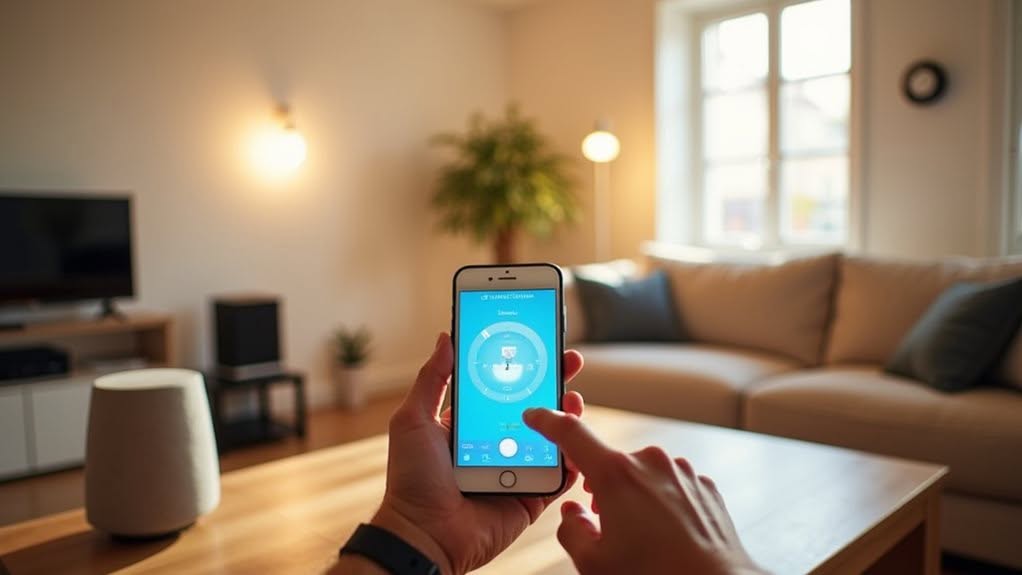
SmartThings home automation works through a central hub that connects your smart devices using Z-Wave, Zigbee, and Wi-Fi protocols. You’ll install the hub in a central location, add compatible devices through the SmartThings app, and create customized routines that trigger specific actions when conditions are met. The system processes some commands locally for faster response times while using cloud connectivity for complex operations and remote access. SmartThings Edge improves performance by enabling local execution of many automation tasks.
The SmartThings Ecosystem and Device Integration
While many smart home systems offer limited compatibility, the SmartThings ecosystem stands out by integrating over 1,200 different smart devices into one unified platform. You can control appliances, TVs, lighting, locks, cameras, and sensors through a single app.
The system supports multiple communication protocols including Z-Wave, Zigbee, and Wi-Fi, making it compatible with devices from various manufacturers. Samsung products often come with built-in SmartThings functionality, providing seamless integration. The platform’s patented compatibility engine removes all guesswork when searching for compatible devices for your system. For those seeking alternatives, there are several hub device options available that can serve as the central control point for your smart home.
You’ll find support for approximately 170 smart lock models from brands like Yale and August, 190+ lighting products from companies such as Philips Hue, and nearly 100 camera and doorbell options. GearBrain offers a specialized tool that helps users find compatible devices for their SmartThings system without any guesswork.
The ecosystem is evolving with the adoption of Matter protocol, which aims to advance cross-brand communication and enhance your smart home experience.
Setting Up Your SmartThings Hub and Network
The foundation of any SmartThings home automation system begins with properly setting up your hub and network.
Position your hub centrally in your home to maximize wireless coverage to all connected devices. Connect it to power using the included adapter, and optionally link it directly to your router via Ethernet for enhanced reliability. Keep the hub away from heavy metal objects like HVAC units, refrigerators, or stoves as these can interfere with signal performance.
When you’re ready to configure your system, download the SmartThings app and use the “Add Device” function. The app will guide you through connecting your hub to your home network and adding compatible devices. If you’re having connectivity issues, you may need to reset your hub using a paper clip to push the reset button.
- Place hub in a central location for best coverage
- Connect to power and verify the LED flashes red/green for pairing mode
- Use the SmartThings app to add the hub to your home network
- Add devices by placing them near the hub during setup
- Allow up to 20 minutes for all devices to fully synchronize
Creating Powerful Automation Routines and Scenes
Automation routines and scenes form the heart of your SmartThings system, allowing you to create sophisticated home behaviors without programming knowledge.
In the SmartThings app, you’ll find routines under the Automations or Routines tab. Creating a routine involves defining “if” conditions and “then” actions, such as turning on lights at sunset or activating appliances when you arrive home. Remember that the availability of features varies depending on your specific device manufacturer.
Routines offer conditional logic, letting you trigger actions based on all or any conditions you set. You’ll need to name and save each routine for easy management. For maximum clarity, give your routine descriptive names that clearly indicate what the automation does.
Scenes differ from routines as they aren’t rule-based. They allow you to create specific device setups without conditional triggers, perfect for instantly changing your home environment.
While scenes lack the complexity of routines, they provide immediate results with minimal setup.
Local vs. Cloud Processing: Understanding SmartThings Edge
Beyond your automation routines and scenes, understanding how SmartThings processes your commands reveals an important distinction in home automation technology.
SmartThings Edge enables local processing directly on your hub for many Z-Wave and Zigbee devices, while more complex functions require cloud connectivity.
- Edge-enabled automations operate without internet, processing basic commands locally on SmartThings Hub V2 or later
- Local execution provides near-instant response times with fewer points of failure
- Cloud processing handles complex automations, third-party integrations, and remote access features
- During internet outages, only locally-processed automations and devices will continue to function
- The hybrid approach balances reliability of local control with the advanced capabilities of cloud processing
This dual-processing architecture guarantees your critical functions remain operational even during connectivity issues, while still providing access to advanced features when connected. SmartThings utilizes a hybrid solution that combines the privacy benefits of local processing with the powerful analytics capabilities of cloud processing. Home security features may become completely ineffective if your internet connection is compromised, which is a significant concern for users relying on the system for protection.
Advanced Features and Third-Party Platform Connections
While SmartThings offers robust basic functionality, its true power emerges through advanced features and connections with third-party platforms.
Node-RED integration enables complex automation sequences that can run locally on dedicated hardware. These automations can be triggered by various conditions like time, motion sensors, or device status changes.
Todd Austin’s Web Requester Edge Driver allows you to initiate automations through HTTP requests, expanding your control options. Node-RED provides a graphical editor interface that significantly simplifies building and maintaining complex automations without requiring advanced programming skills.
SmartThings connects seamlessly with platforms like Home Assistant and supports devices from brands including Philips Hue, Nest, and Ring.
Some Samsung TVs even include a built-in SmartThings Hub supporting Matter, Thread, and Zigbee technologies.
The platform’s Routine Creation Assistant lets you create automations by simply typing desired actions, while the recently added delay feature enables timed sequences in your smart home setup. The app now includes a user confirmation feature that prevents automatic execution of sensitive routines without approval.
Frequently Asked Questions
Can Smartthings Work During Internet Outages?
Yes, SmartThings can work during internet outages. Your local automations and routines will continue functioning through the hub using Zigbee or Z-Wave protocols, though you’ll lose remote app control capabilities.
How Much Does Smartthings Increase Monthly Electricity Costs?
SmartThings doesn’t increase your electricity costs—it helps reduce them. You’ll actually save money through real-time monitoring, AI-powered optimizations, and automation features that identify waste and adjust usage during peak pricing periods.
Is Smartthings Secure Against Hacking Attempts?
SmartThings is generally secure with encryption and regular updates, but you’ll need to maintain strong passwords, keep your devices updated, and secure your Wi-Fi network to protect against potential hacking attempts.
Can Multiple Users Control the Smartthings System?
Yes, multiple users can control your SmartThings system. You can invite family or friends through the app to share access. Everyone with access can control devices, create automations, and receive notifications from your smart home.
What Happens to Smartthings if Samsung Discontinues the Service?
If Samsung discontinues SmartThings, you’ll lose cloud features, remote access, and third-party integrations. Your local Z-Wave and Zigbee device control might continue, but you’d likely need to migrate to alternative platforms like Home Assistant or Hubitat.
Final Thoughts
You’ve now explored the extensive SmartThings ecosystem that powers modern home automation. From setting up your hub to creating customized routines and utilizing advanced features, SmartThings offers a flexible platform for controlling your smart devices. Whether you’re using local Edge processing or cloud connectivity, you can create a personalized, responsive home environment that works seamlessly with your lifestyle and connects with third-party services for expanded functionality.


