Making any home a smart home is easier and more affordable than most people think, requiring just a few basic devices and a reliable internet connection to get started. You don’t need to be tech-savvy or spend thousands of dollars to enjoy the convenience of controlling your lights, temperature, and security from your smartphone.
The key to success lies in starting with a few essential devices like smart speakers and bulbs, then gradually expanding your system as you become comfortable with the technology. Most homeowners begin with simple upgrades that provide immediate benefits, such as smart lighting or security cameras, before moving on to more advanced automation features.
Whether you live in an apartment, older house, or new construction, you can transform your space into a connected home that responds to your daily routines. The process involves selecting compatible devices, setting up a central control system, and creating automated routines that make your home work smarter for you.
Understanding What Makes a Home Smart
A smart home uses connected devices that you can control remotely through apps, voice commands, or automation systems. These systems offer energy efficiency benefits, enhanced security, and convenience through seamless integration of various household functions.
Defining a Smart Home
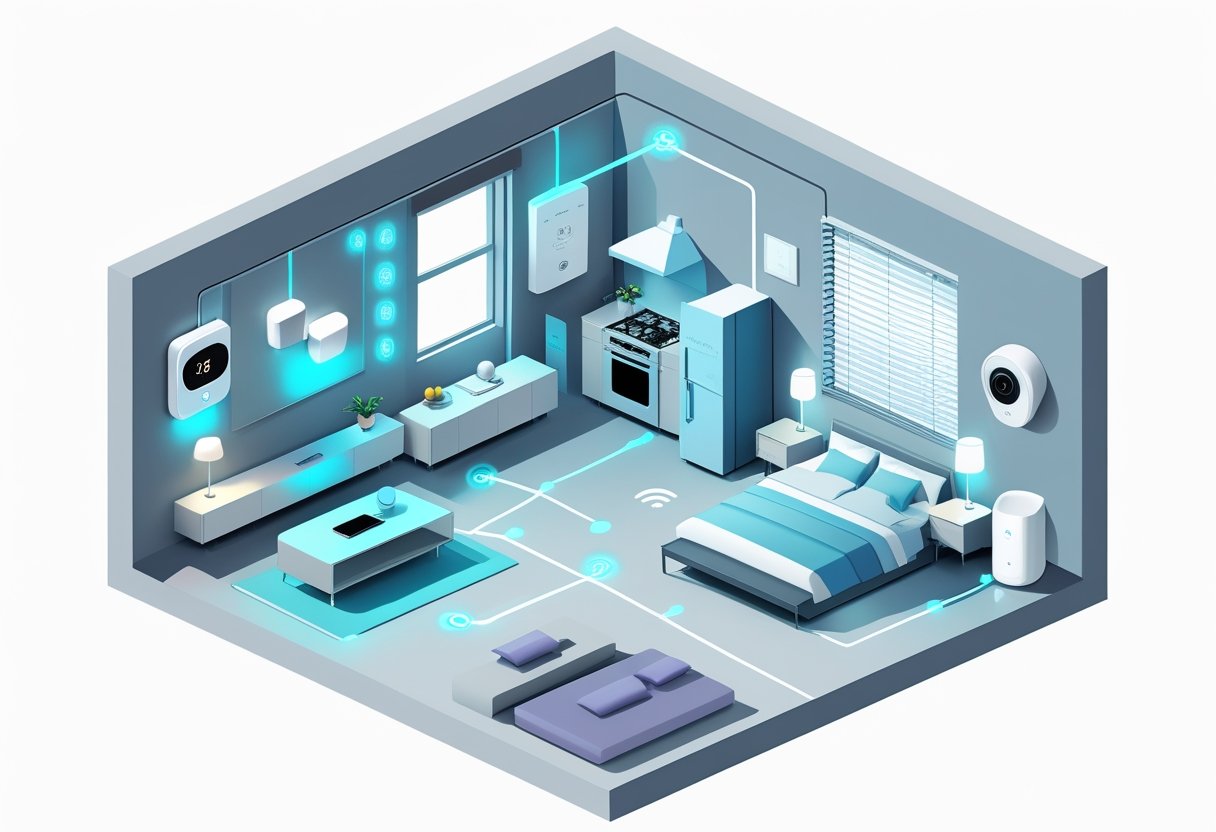
A smart home connects your everyday devices to the internet so you can control them from anywhere. The backbone of any smart home is a central hub that communicates with all your devices.
Your lights, thermostat, door locks, and security cameras all work together through this connected network. You can control these devices using your smartphone, tablet, or voice commands.
The key difference between regular homes and smart homes is remote control capability. You can turn off lights from work, adjust your thermostat while on vacation, or check who’s at your door from anywhere.
Smart home devices use Wi-Fi, Bluetooth, or specialized protocols like Zigbee to communicate. They send data to apps on your phone or to voice assistants like Alexa and Google Assistant.
Key Benefits of Smart Home Technology
Energy efficiency stands out as a major benefit of home automation. Smart thermostats learn your schedule and adjust temperatures automatically, reducing energy waste when you’re away.
Smart lighting systems dim or turn off lights based on natural light levels or room occupancy. This can cut your electricity bills significantly over time.
Security improves dramatically with smart cameras, doorbell cameras, and smart locks. You get instant alerts about unusual activity and can monitor your home 24/7.
Convenience features save time and effort in daily routines. You can start your coffee maker from bed, preheat your oven on the way home, or set up automated bedtime routines.
Accessibility benefits help people with mobility issues control their environment more easily. Voice commands and smartphone apps reduce the need for physical interaction with switches and controls.
How Smart Home Automation Works
Home automation relies on three main components: sensors, controllers, and actuators. Sensors detect changes like motion, temperature, or sound in your environment.
Controllers process this information and make decisions based on rules you set up. Your smart home hub or smartphone app serves as the main controller.
Actuators carry out the actions, like turning on lights, locking doors, or adjusting your thermostat. These work together to create automated responses to different triggers.
You can create simple automations like “turn on porch light at sunset” or complex scenes involving multiple devices. Advanced systems learn your patterns and suggest new automations.
Most smart home devices connect through your home’s Wi-Fi network. Some use mesh networks that extend coverage throughout your entire house for reliable connections.
Choosing the Right Smart Home Ecosystem
Your smart home ecosystem acts as the central platform that connects and controls all your devices. The four main options each offer different strengths in device compatibility, voice control features, and integration capabilities.
Google Home and Google Assistant
Google Home provides excellent smart home integration with thousands of compatible devices from major brands. The Google Assistant voice control works naturally with conversational commands.
Key Features:
- Works with 50,000+ smart devices
- Strong search and information capabilities
- Free video calling on smart displays
- Integrates with Google services like Calendar and Gmail
Google Assistant handles complex questions better than other voice assistants. You can ask follow-up questions without repeating the wake word.
The Google Home app offers simple setup and device management. Routines let you control multiple devices with one command.
Best for: Android users and households that rely heavily on Google services like Gmail, YouTube, and Google Calendar.
Amazon Alexa and Amazon Echo
Amazon Alexa supports the largest number of smart home devices and offers the most third-party skills. Alexa’s compatibility with various smart devices makes it a versatile choice.
Supported Device Categories:
- Lights and switches
- Thermostats and HVAC systems
- Security cameras and doorbells
- Smart locks and garage doors
- Entertainment systems
Alexa Skills store contains over 100,000 voice apps for everything from ordering pizza to playing games. The platform works especially well with Amazon Prime services.
Echo devices range from the compact Echo Dot to the premium Echo Studio. Multi-room audio lets you play music throughout your home.
Best for: Amazon Prime members and users who want the widest device compatibility and skill selection.
Apple HomeKit and Siri
Apple HomeKit focuses on privacy and security with end-to-end encryption for all device communication. HomeKit offers seamless integration with iOS devices and unparalleled privacy protection.
HomeKit Advantages:
- All data stays encrypted and private
- Works across iPhone, iPad, Mac, and Apple TV
- Secure remote access through iCloud
- Simple setup with QR codes
HomeKit requires devices to meet strict security standards. This means fewer compatible devices but higher quality and security.
Siri integration lets you control devices from any Apple device. You can create scenes that adjust multiple devices at once.
The Home app provides intuitive control and automation setup. Family sharing lets everyone in your household control devices.
Best for: iPhone and iPad users who prioritize privacy and already use multiple Apple devices.
Samsung SmartThings and Other Platforms
Samsung SmartThings works as a versatile hub that connects devices from different brands and protocols. SmartThings supports custom automation routines and works with a wide range of smart devices.
SmartThings Features:
- Supports Zigbee, Z-Wave, and Wi-Fi devices
- Works with Alexa, Google Assistant, and Bixby
- Advanced automation with SmartApps
- Professional monitoring services available
The platform excels at connecting older smart home protocols with newer Wi-Fi devices. You can mix brands and technologies in one system.
Other Notable Platforms:
- Hubitat: Local processing for faster response times
- Home Assistant: Open-source with unlimited customization
- Wink: Simple setup but limited device support
SmartThings requires more technical knowledge than other ecosystems. The learning curve is steeper but offers more control options.
Best for: Tech-savvy users who want to mix different device brands and protocols or need advanced automation features.
Essential Smart Devices for Every Home
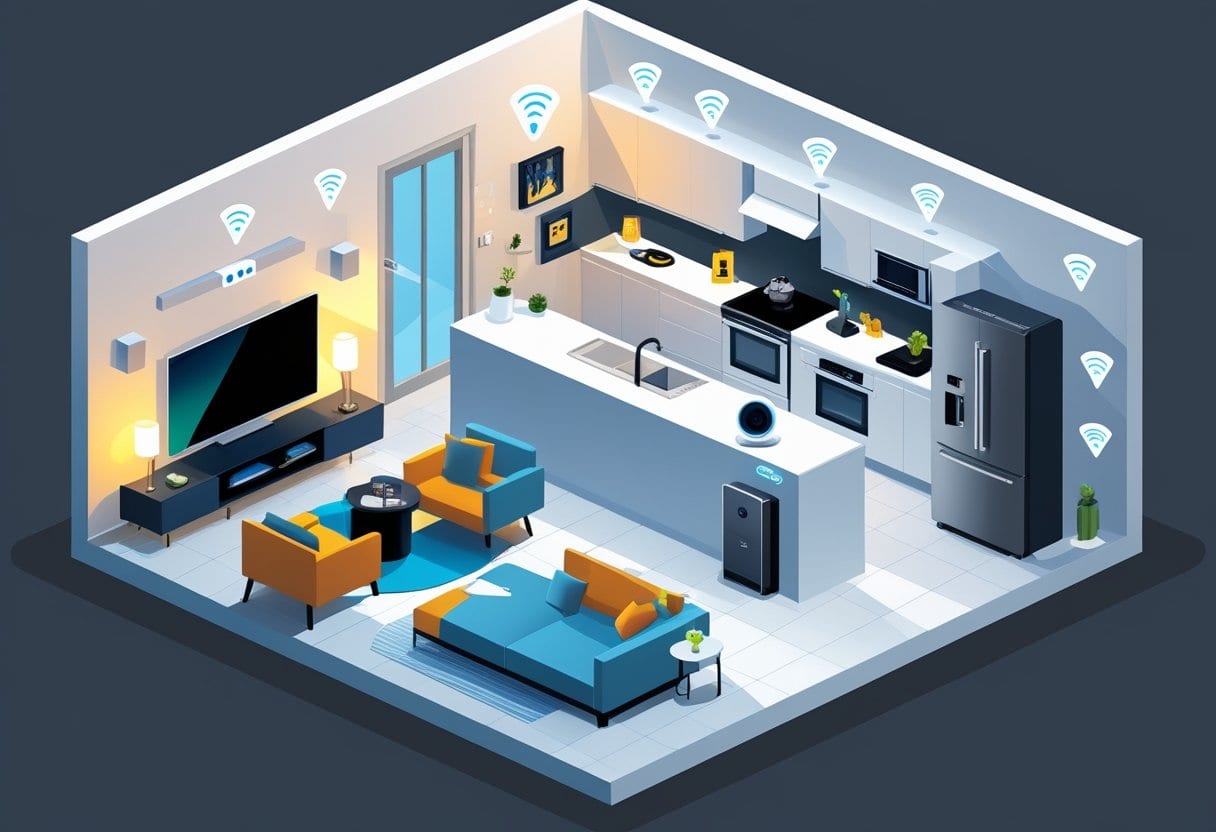
Four core device categories form the foundation of any smart home: voice-controlled speakers that act as command centers, automated lighting systems that adjust to your needs, intelligent thermostats that optimize comfort and energy use, and secure entry solutions that protect your property.
Smart Speakers and Voice Control
Smart speakers serve as the central hub for your entire smart home system. The best smart speakers let you control other devices, play music, set timers, and get information using only your voice.
You need to choose between three main voice assistants: Amazon Alexa, Google Assistant, or Apple Siri. Each platform works with most major smart device brands.
Amazon Alexa Options:
- Echo (4th Gen): $99.99 – Best overall value
- Echo Show 15: $299.99 – Large display for visual control
Google Assistant Options:
- Nest Audio: $99.99 – Superior sound quality
- Nest Hub Max: $229.99 – Video calls and smart displays
Apple Siri Options:
- HomePod mini: $99.00 – Compact design
- HomePod (2nd Gen): $299.00 – Premium audio
Smart displays add touchscreen control to voice commands. You can view security camera feeds, make video calls, and control devices with taps instead of voice.
Smart Lighting Options
Smart bulbs replace regular light bulbs with app and voice-controlled versions. You control brightness, color, and scheduling from your phone without getting up.
Smart lighting systems use less energy than traditional bulbs and last much longer. This saves money over time while adding convenience.
Key Features to Look For:
- Wi-Fi connectivity (no hub required)
- Matter compatibility for universal device support
- Color changing capabilities
- Dimming controls
- Scheduling options
The AiDot Linkind Wi-Fi Matter Smart Light Bulb costs $16.99 and works with all major voice assistants. It displays 16 million colors and connects directly to your Wi-Fi network.
You can create lighting schedules for automatic on/off times. Set bulbs to gradually brighten in the morning or dim at bedtime.
Smart light switches control multiple bulbs at once. They work with regular bulbs and provide whole-room control from a single device.
Smart Thermostats and Climate Control
Smart thermostats learn your schedule and adjust temperature automatically. Connected thermostats can lower your energy bills while keeping your home comfortable.
You control heating and cooling from anywhere using your phone. Set different temperatures for when you’re home, away, or sleeping.
Top Smart Thermostat Features:
- Learning algorithms that adapt to your routine
- Remote sensors for multi-room temperature control
- Energy usage reports and savings tracking
- Geofencing that adjusts temperature when you leave
- Voice control integration
The Ecobee Smart Thermostat Premium costs $249.99 and includes a remote sensor. This ensures consistent temperature throughout your house instead of just near the main unit.
The Amazon Smart Thermostat offers basic smart features for $79.99. It works perfectly with Alexa voice commands and provides scheduling controls.
Most smart thermostats show potential energy savings before you buy. Many users save 10-20% on heating and cooling costs after installation.
Smart Locks and Entry Solutions
Smart locks eliminate the need for physical keys while improving home security. You unlock doors using your phone, voice commands, or biometric sensors like fingerprints.
Smart entry solutions let you monitor who enters and leaves your home. You receive notifications when doors are locked or unlocked.
Smart Lock Access Methods:
- Smartphone app control
- Fingerprint recognition
- Voice commands
- Keypad entry codes
- Traditional backup keys
The Ultraloq Bolt Fingerprint supports multiple unlock methods including HomeKit integration. It works with voice assistants and provides backup key access for emergencies.
You can create temporary access codes for guests or service workers. These codes expire automatically and don’t require sharing permanent keys.
Smart locks connect to your home security system for complete monitoring. Some models include built-in cameras or work with existing doorbell cameras.
Battery-powered smart locks install on existing doors without rewiring. Hardwired versions connect to your home’s electrical system for continuous power.
Enhancing Home Security with Smart Technology
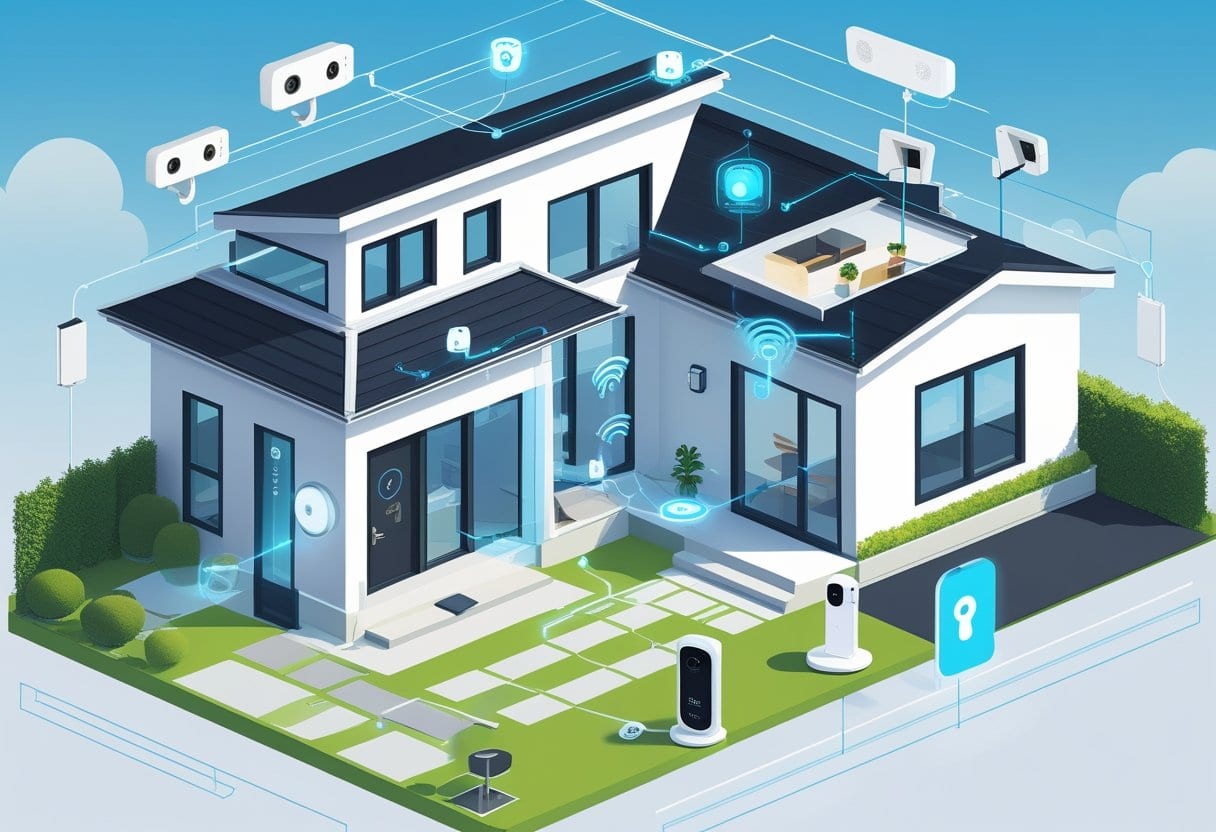
Smart security cameras provide 24/7 monitoring with remote access through your phone. Motion detectors create automated alerts when unexpected activity occurs, while two-factor authentication adds an extra layer of protection to your connected devices.
Installing Smart Security Cameras
Smart security cameras form the backbone of any home security system. These devices record video footage and send real-time alerts to your smartphone when motion is detected.
Indoor vs. Outdoor Cameras
| Camera Type | Best For | Key Features |
|---|---|---|
| Indoor | Living rooms, hallways | Night vision, two-way audio |
| Outdoor | Driveways, backyards | Weather resistance, motion zones |
Place cameras at main entry points like front doors and back entrances. Mount them 8-10 feet high to prevent tampering while maintaining clear views.
Most security cameras connect to your Wi-Fi network. Download the manufacturer’s app and follow the setup wizard to connect each device.
Look for cameras with HD video quality and cloud storage options. The Arlo Pro 4 offers 2K video resolution with weather-resistant design for outdoor use.
Power Options
- Battery-powered: Easy installation, requires regular charging
- Wired: Constant power, professional installation recommended
- Solar panels: Eco-friendly option for outdoor cameras
Integrating Motion Detectors and Sensors
Motion sensors detect movement and trigger alerts or automated responses throughout your home. These small devices work together to create a comprehensive security network.
Types of Motion Detection
Motion detectors use different technologies to sense movement:
- PIR sensors: Detect heat from people and animals
- Microwave sensors: Monitor area changes through radio waves
- Dual-technology: Combine both methods for fewer false alarms
Place motion sensors in hallways, near windows, and at room entrances. Avoid areas with heating vents or moving objects like ceiling fans.
Smart motion detectors connect to your home’s Wi-Fi network. They send instant notifications to your phone when triggered.
Motion sensors integrate with other smart devices to create automated responses. Set lights to turn on when motion is detected at night.
Installation Tips
Mount sensors 6-8 feet from the floor. Point them toward areas where intruders would likely walk. Test each sensor after installation to ensure proper coverage.
Advanced Features: Two-Factor Authentication
Two-factor authentication adds extra security to your smart home devices by requiring two forms of verification before granting access.
How It Works
First, enter your password as usual. Then, provide a second verification method like a code sent to your phone or fingerprint scan.
This prevents hackers from accessing your devices even if they steal your password. Enable two-factor authentication on your router, security cameras, and smart home apps.
Setup Process
- Open your device’s security settings
- Find “Two-Factor Authentication” or “2FA”
- Choose your verification method (text, email, or app)
- Follow prompts to complete setup
Popular verification apps include Google Authenticator and Authy. These generate unique codes that change every 30 seconds.
Best Practices
Use different passwords for each smart device. Update firmware regularly to patch security vulnerabilities. Smart locks with biometric authentication provide keyless entry with fingerprint verification.
Review device permissions monthly. Remove access for old phones or family members who no longer need control.
Connecting and Controlling Your Devices
Once you have your smart devices, you need a way to connect them together and control them from one place. Smart home hubs act as the central control point that links all your devices, while different communication protocols like Zigbee and Matter determine how your devices talk to each other.
Smart Hubs and Centralized Systems
A smart home hub serves as the brain of your home automation system. It connects all your devices and lets you control them from one app instead of using separate apps for each device.
Popular smart home platforms include Amazon Alexa, Google Home, and Apple HomeKit. Each platform has its own strengths and device compatibility.
Amazon Alexa works with the most devices and brands. You can control lights, locks, thermostats, and more through the Alexa app or voice commands.
Google Home offers strong integration with Google services. It works well with Android phones and Google products.
Apple HomeKit provides tight security and works seamlessly with iPhones and iPads. However, it supports fewer devices than other platforms.
You can also choose dedicated hubs like Samsung SmartThings or Hubitat. These hubs often support more communication protocols than smart speakers.
Home Assistant offers the widest device compatibility but requires more technical knowledge to set up and maintain.
Supported Communication Protocols: Zigbee, Z-Wave, and Matter
Your smart devices use different protocols to communicate with your hub and each other. Understanding these protocols helps you choose compatible devices.
Wi-Fi is the most common protocol. Most smart devices connect directly to your home network. This makes setup easy but can slow down your internet with too many devices.
Zigbee creates a mesh network where devices pass signals to each other. This extends range and uses less power than Wi-Fi. Many smart lights and sensors use Zigbee.
Z-Wave also creates a mesh network with strong security features. Z-Wave devices are often more expensive but very reliable.
Matter is the newest standard backed by Apple, Google, and Amazon. Matter devices work across different smart home ecosystems without compatibility issues.
Thread works with Matter to create a secure mesh network. Many new devices support Matter over Thread for better connectivity.
Remote and Mobile App Control
Mobile apps provide the main way to control smart home devices remotely. Most smart devices come with their own apps, but hub apps let you control multiple devices together.
Your smartphone becomes your universal remote. You can turn lights on before you get home, check security cameras while traveling, or adjust your thermostat from work.
Reliable Wi-Fi connectivity is essential for remote control to work properly. Your devices need internet access to receive commands from outside your home.
Voice control adds another layer of convenience. You can control devices hands-free using voice assistants like Alexa, Google Assistant, or Siri.
Many apps also support automation and scheduling. You can set devices to turn on and off automatically based on time, location, or other triggers.
Push notifications keep you informed about important events like security alerts or system status updates when you’re away from home.
Expanding Your Smart Home Experience
Smart TVs transform your living room into an entertainment hub while automated switches give you complete lighting control. Streaming services integrate seamlessly with voice assistants to create a fully connected media experience.
Smart TVs and Entertainment
Smart TVs serve as the centerpiece of modern home entertainment systems. These devices connect directly to your Wi-Fi network without needing extra streaming boxes or cables.
Most smart TVs come with built-in apps for Netflix, Hulu, Amazon Prime Video, and YouTube. You can download additional apps through the TV’s app store.
Voice control makes navigation effortless. Connect your smart TV to Alexa or Google Assistant to change channels, adjust volume, or search for content using voice commands.
Key Smart TV Features:
- Built-in streaming apps
- Voice control compatibility
- Screen mirroring from phones
- Gaming mode for consoles
- Energy-saving auto-shutoff
Many models include screen mirroring technology. This lets you display photos, videos, or apps from your smartphone directly on the TV screen.
Gaming enthusiasts benefit from low-latency gaming modes. These settings reduce input delay when playing video games through connected consoles.
Modern smart TVs also function as smart home hubs for entertainment control. You can control connected sound systems, lighting, and other devices through the TV interface.
Automated Smart Switches and Outlets
Smart switches replace traditional wall switches to give you remote control over any light fixture. Unlike smart bulbs, these switches work with existing light fixtures and bulbs.
Installation typically requires basic electrical work. Most smart switches need a neutral wire, which exists in homes built after the 1980s.
Smart Switch Benefits:
- Control any light remotely
- Works with existing bulbs
- Creates lighting schedules
- Integrates with voice assistants
- Motion sensor compatibility
Smart outlets add automation to non-smart devices. Plug any appliance into a smart outlet to control it remotely through your phone.
These outlets work perfectly for lamps, fans, coffee makers, and holiday decorations. Set schedules to turn devices on and off automatically.
Installation Options:
- Plug-in adapters – No installation required
- Outlet replacements – Require basic electrical work
- Smart power strips – Multiple controlled outlets
Motion sensors enhance smart switches by turning lights on when you enter rooms. This feature works especially well in bathrooms, closets, and hallways.
Timer functions help save energy by automatically turning off lights after set periods. You can also create lighting scenes for different activities like reading, watching TV, or entertaining guests.
Integrating Streaming Services
Streaming services work best when integrated with your entire smart home ecosystem. Voice assistants can launch specific shows, pause content, or switch between services instantly.
Connect your streaming accounts to Google Assistant or Alexa through their respective apps. This allows voice commands like “Play The Office on Netflix” or “Resume my show on Hulu.”
Popular Voice Commands:
- “Play [show name] on [service]”
- “Pause the TV”
- “Turn up the volume to 15”
- “Switch to YouTube”
- “Show me action movies”
Multi-room audio extends streaming throughout your home. Play the same music on connected speakers in different rooms or control each room independently.
Smart speakers enhance the streaming experience beyond just TVs. Play Spotify, Apple Music, or Pandora on kitchen speakers while cooking dinner.
Streaming Integration Tips:
- Link accounts in voice assistant apps
- Create custom voice commands
- Set up multi-room audio groups
- Use family profiles for personalized recommendations
Family profiles within streaming services work with voice recognition. Each family member gets personalized recommendations and viewing history when they speak to voice assistants.
Smart home routines can combine streaming with other devices. Create a “Movie Night” routine that dims lights, closes smart blinds, and starts your favorite streaming service with one command.
Frequently Asked Questions
Smart home beginners often wonder about device requirements, setup processes, and security measures. Voice assistant integration and ecosystem selection are also common concerns for new users.
What are the essential devices needed to start creating a smart home?
You need three basic components to start your smart home journey. A smart hub or voice assistant acts as the central control point. A reliable Wi-Fi router provides the network foundation.
Smart plugs are the easiest first devices to buy. They turn any regular appliance into a smart device instantly. You can control lamps, fans, and small appliances from your phone.
Smart light bulbs offer convenient lighting control. You can dim lights, change colors, and set schedules. Most smart bulbs work without additional hardware.
A smart thermostat helps save energy and money. It learns your schedule and adjusts temperatures automatically. Many models pay for themselves through reduced energy bills.
Smart door locks provide security and convenience. You can lock or unlock doors remotely. Temporary access codes work great for guests and service workers.
Basic smart home setups can cost as little as $60 for a hub plus individual device costs.
What steps are involved in converting a traditional home into a smart home?
Start by choosing your smart home ecosystem. Popular options include Amazon Alexa, Google Assistant, and Apple HomeKit. Your choice affects which devices you can use.
Check your Wi-Fi coverage throughout your home. Smart devices need strong internet connections to work properly. You may need Wi-Fi extenders for larger homes.
Begin with one or two simple devices. Smart plugs and smart bulbs are good starting points. Add devices gradually to avoid feeling overwhelmed.
Download the manufacturer apps for each device. Create accounts and connect devices to your Wi-Fi network. This process takes patience but gets easier with practice.
Set up basic automation rules once devices are connected. Start with simple schedules like turning lights on at sunset. Planning for future expansion helps create a cohesive system.
Test each device thoroughly before adding more. Make sure everything works as expected. This prevents problems from building up over time.
How can I integrate voice assistants like Alexa into my home automation setup?
Amazon Alexa works with the widest range of smart devices. Most major brands support Alexa voice commands. Check device compatibility before purchasing.
Download the Alexa app on your smartphone first. Create an Amazon account if you don’t have one. The app controls all your Alexa-connected devices.
Buy an Echo device or Alexa-enabled speaker. Place it in a central location where you spend most time. Kitchen and living room locations work well.
Add smart devices through the Alexa app’s device discovery feature. The app finds compatible devices on your network automatically. You can also add devices manually.
Create voice commands and routines for multiple devices. Say “Alexa, bedtime” to turn off lights and lock doors. Custom routines make daily tasks easier.
Amazon Alexa offers extensive third-party app support but takes no responsibility for security issues.
What are the best practices for ensuring security and privacy in a smart home?
Use strong, unique passwords for every smart device account. Avoid simple passwords like “password123” or your address. Password managers help create and store complex passwords.
Keep device firmware updated regularly. Manufacturers release security patches frequently. Enable automatic updates when available.
Set up a separate Wi-Fi network for smart devices. This isolates them from computers and phones with personal data. Many routers support guest networks for this purpose.
Review privacy policies before buying devices. Some companies collect and sell user data. Device security measures include regular software updates and strong passwords.
Disable unnecessary features like always-listening microphones. Turn off data sharing with third parties when possible. Check device settings regularly for new privacy options.
Consider devices that process data locally instead of in the cloud. Local processing reduces privacy risks. However, these devices may cost more initially.
How do you create a smart home ecosystem using Apple devices?
Apple HomeKit works seamlessly with iPhones, iPads, and Mac computers. The Home app comes pre-installed on most Apple devices. HomeKit offers strong security and privacy protection.
Look for the “Works with Apple HomeKit” label when shopping. Apple strictly controls which devices can join HomeKit. This means fewer options but better security.
Set up devices using the Home app on your iPhone or iPad. Scan the HomeKit code on each device package. The setup process is usually quick and simple.
Create rooms and zones in the Home app to organize devices. Group related devices together for easier control. You can control entire rooms with single commands.
Use Siri voice commands to control HomeKit devices. Say “Hey Siri, turn off the living room lights” from any Apple device. Siri integration works across all your Apple products.
Apple HomeKit has fewer compatible devices than other platforms but offers superior security screening.
Can you provide some examples of fully automated smart homes for inspiration?
Morning routines can start automatically when your alarm goes off. Smart thermostats warm the house while smart coffee makers brew coffee. Bathroom lights turn on dimmed for gentle wake-up.
Evening routines activate with a single voice command. All lights dim or turn off while doors lock automatically. Security systems arm themselves for nighttime protection.
Vacation modes make homes appear occupied while you’re away. Lights turn on and off at different times each day. Smart sprinklers water plants on schedule.
Weather-responsive automation adjusts to outdoor conditions. Thermostats prepare for temperature changes before they happen. Smart blinds close during hot afternoons to save energy.
Security integration connects cameras, doorbells, and sensors. Motion detection triggers lights and recording simultaneously. Push notifications alert you to unusual activity instantly.
Energy management systems track usage across all devices. Smart outlets turn off phantom loads automatically. Home energy monitoring helps identify power-hungry appliances and reduce costs.