
Yes, Home Assistant can run completely without internet. It’s designed to operate locally on hardware like Raspberry Pi, using Zigbee, Z-Wave, Bluetooth, and local Wi-Fi protocols to control your smart devices. Your automations, scenes, and device controls continue functioning during internet outages, with only cloud-dependent services becoming unavailable. For a fully offline setup, you’ll need appropriate hardware and locally-compatible smart devices. The right configuration guarantees your smart home remains functional regardless of your internet connection status.
Understanding Home Assistant’s Core Offline Capabilities
While many smart home systems depend heavily on cloud services, Home Assistant stands apart with its robust offline capabilities. It’s designed with local control as a foundational principle, running entirely on your own hardware like a Raspberry Pi or dedicated hub.
Home Assistant communicates with your devices through local wireless protocols including Zigbee, Z-Wave, Bluetooth, and certain Wi-Fi configurations. This architecture guarantees your smart home continues functioning during internet outages. Offline devices are typically displayed in red color indication, helping users quickly identify connectivity issues within their system.
Local connectivity via Zigbee, Z-Wave, Bluetooth and Wi-Fi ensures your smart home operates reliably even when the internet fails.
Your automations and scenes execute locally on the Home Assistant host, controlling devices directly through supported protocols without any cloud dependencies. This local execution improves both reliability and response times.
You can even integrate brand-agnostic devices using USB dongles, like Zigbee sticks, eliminating reliance on manufacturer hubs or their cloud services for core functionality. This approach provides significant data privacy benefits for users concerned about their information being transmitted to third parties. Many homeowners choose a smart hub solution to unlock their home’s full automation potential while maintaining control over their devices.
Local Network Requirements for Internet-Free Operation
Setting up Home Assistant for internet-free operation requires careful attention to your local network infrastructure.
You’ll need to assign a static IP address to your Home Assistant instance to guarantee consistent local access when your internet connection drops.
A Raspberry Pi or similar low-power device provides the ideal hardware foundation, offering reliability and efficiency for 24/7 operation.
Consider implementing a dedicated VLAN for your smart home devices to improve security and network isolation.
Your router configuration plays an essential role in maintaining offline functionality.
Confirm it supports local DNS resolution so you can access your Home Assistant interface without internet connectivity.
For peak device compatibility, prioritize smart home products that use local communication protocols like Zigbee or Z-Wave.
These will continue functioning through internet outages, unlike cloud-dependent alternatives.
The reduced latency of local processing ensures your automations will execute almost instantaneously without the delays of cloud processing.
When experiencing internet outages, you can still access Home Assistant by using direct local IP instead of external URLs.
Setting Up Zigbee and Z-Wave for Offline Smart Home Control
Because reliable smart home control shouldn’t depend on internet access, Zigbee and Z-Wave protocols offer excellent solutions for completely offline Home Assistant setups.
For Zigbee implementation, install either ZHA add-on or Zigbee2MQTT, then connect a compatible USB stick like ConBee II directly to your Home Assistant host.
When adding devices, use the services tab with the `zha.permit` call, followed by power cycling the device to complete pairing.
Z-Wave integration requires the Z-Wave JS add-on and a controller such as the Aeotec Z-Stick.
You’ll manage device pairing through Home Assistant’s Z-Wave configuration page, allowing full local control without internet dependency.
For both protocols, create monitoring templates to detect offline devices promptly. You can implement Developer Tools templates to quickly identify Zigbee and Z-Wave devices that have lost connection.
Assign static IP addresses to maintain reliable network discovery, and keep Zigbee and Z-Wave networks separate to simplify troubleshooting. Z-Wave’s 900 MHz frequency provides better interference resistance than Zigbee’s 2.4 GHz band which overlaps with WiFi.
Essential Hardware for a Fully Offline Home Assistant Setup
A reliable offline Home Assistant system requires specific hardware components to function properly without internet dependency. Your processing unit forms the foundation, with options ranging from a Raspberry Pi 3B+ to mini PCs with Celeron processors.
For peak performance, consider these crucial components:
- Storage and Memory: Minimum 2GB RAM with 256GB SSD storage for faster operation and reliability
- Connectivity Devices: Zigbee/Z-Wave coordinators or Bluetooth adapters to communicate with smart devices locally
- Stable Power Supply: UPS system with proper cooling solutions to prevent data loss and maintain system longevity
Local network infrastructure is equally important, as it enables device communication without external connections. Most modern computers today provide UEFI BIOS compatibility which is essential for installing and running Home Assistant OS properly. Proper heat management is essential to ensure your system runs efficiently during extended offline operation.
A robust local network serves as the silent backbone of any truly autonomous smart home ecosystem.
When setting up your offline system, prioritize hardware that supports local protocols rather than cloud-dependent alternatives.
Configuring Local Automations That Work Without Cloud Services
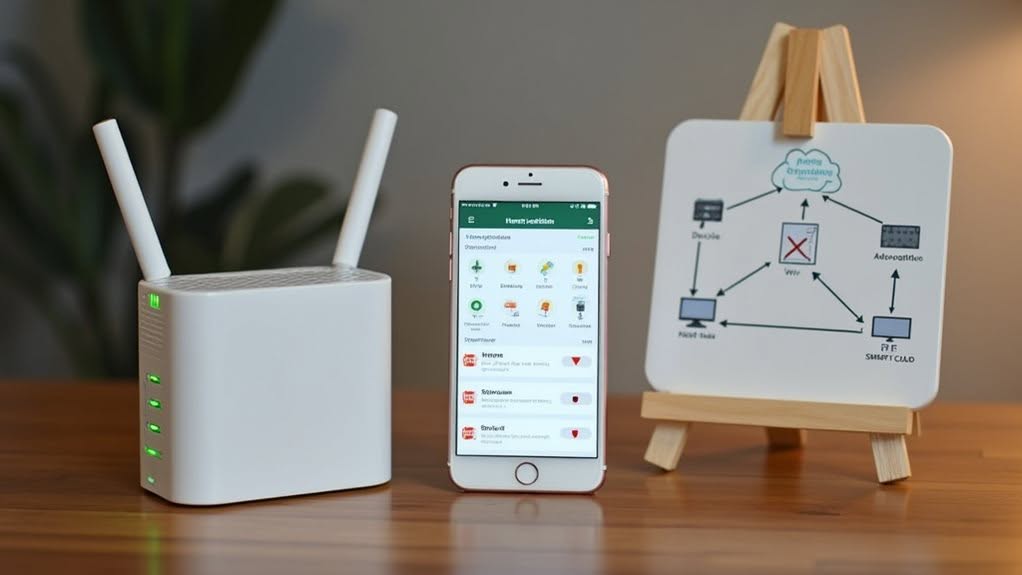
With your hardware foundation in place, local automations form the backbone of an internet-independent Home Assistant system.
These automations execute entirely on your local network, maintaining functionality even when internet connectivity fails.
Home Assistant’s philosophy prioritizes local control, enabling you to create reliable automations triggered by local events like sensor readings or time-based schedules.
These operate independently of any cloud services.
Most integrations for lights, switches, and sensors work locally when the hardware supports local APIs.
Devices using Zigbee, Z-Wave, ESPHome, or Bluetooth protocols are inherently cloud-independent.
The Companion app discovers and connects to your server without requiring cloud accounts. However, the Android app experience may be limited as it requires cloud connection for full functionality of certain features.
It uses local device location data for presence detection without uploading to external services.
For maximum reliability, prioritize devices with local control capabilities when building your automation system.
Tuya devices can be integrated through the Local Tuya integration, allowing direct communication without relying on internet access for device control.
Offline Voice Control Solutions and Limitations
While internet-connected voice assistants like Alexa and Google Home dominate the market, several offline alternatives provide voice control without requiring cloud connectivity. These solutions prioritize privacy while still enabling voice-activated home automation through Home Assistant.
Popular hardware options include:
- ReSpeaker USB Mic Array for reliable voice input
- SaraKIT with VOSK for private speech recognition
- ESP32-based solutions like ESPVoice using the SU-03T chip
Software solutions like RHASSPY, VOSK, and Home Assistant’s Local Voice Control offer offline speech recognition, though limitations exist. Most systems require wake words for activation, which can be problematic for users wanting continuous listening.
Additionally, you may encounter restricted language support and microphone compatibility issues. Despite these challenges, offline voice control provides a compelling privacy-focused alternative to cloud-dependent systems.
Time Synchronization and Data Storage Without Internet

Time synchronization presents a substantial challenge for Home Assistant systems operating without internet connectivity. Your system primarily relies on Network Time Protocol (NTP) servers accessed via your router, which becomes unavailable when offline.
Without proper time synchronization, your automations may trigger incorrectly and your data logs will have inaccurate timestamps. The systemd-timesyncd service in Home Assistant OS fails when it can’t reach external time servers through DNS resolution.
A practical solution is setting up a local NTP server within your network that other devices can reference. You can also hardcode IP addresses of reliable NTP servers in the systemd-timesyncd configuration to bypass DNS dependency.
Correct timezone and DST settings are equally important, as misconfiguration can cause one-hour shifts in certain integrations like Tapo cameras, affecting automation reliability.
Selecting Compatible Smart Devices for Internet-Free Use
When building an internet-free smart home with Home Assistant, choosing compatible devices is vital for reliable local operation.
You’ll want to focus on devices that use local protocols like Zigbee, Z-Wave, and Wi-Fi with local API access, as these can communicate directly with your system without cloud dependencies.
Brands like Philips Hue (used with a Zigbee coordinator), IKEA wireless switches, Sonoff and Tasmota devices with custom firmware, and ESPHome-compatible products offer excellent offline functionality that maintains your smart home’s capabilities even when the internet goes down.
Local Protocol Devices
Choosing the right smart devices for an internet-free Home Assistant setup requires careful consideration of their underlying protocols.
Focus on protocols designed specifically for local operation without cloud dependencies.
Several local-first protocols stand out as excellent choices for internet-independent smart homes:
- Matter offers standardized interoperability, though initial pairing may require temporary internet access.
- Z-Wave creates reliable local mesh networks but requires a hardware dongle for Home Assistant integration.
- ESPHome provides complete local control for ESP-based devices with no cloud dependency.
When selecting devices, verify their compatibility through Home Assistant’s documentation.
Brands like Shelly, Sonoff (flashed with alternative firmware), and certain TP-Link Kasa models can function entirely locally.
Be cautious of “hybrid” devices that appear to work locally but still require cloud connections for core functionality.
Zigbee Mesh Networks
Zigbee mesh networks represent an excellent foundation for internet-independent smart home setups. These networks function autonomously without internet connectivity, executing stored rules to maintain reliable operation of your smart devices.
When selecting compatible devices, consider options like Philips Hue bulbs and IKEA remote controls, which work seamlessly in offline environments. For maximum compatibility, choose devices that support the Zigbee 3.0 standard, such as Engo Controls products.
Be cautious with certain devices like Tuya mmWave sensors, which can flood your network and cause stability issues. The Inovelli Blue series works with Zigbee but may experience unrelated problems.
To maintain network stability, minimize interference from Wi-Fi routers, position your hub strategically, and add repeaters if needed.
Regular firmware updates and occasional hub reboots can resolve most connectivity challenges.
Offline-Ready Brands
Smart home enthusiasts looking to build an internet-independent system need to carefully evaluate device compatibility before making purchases. Selecting devices with local control capabilities guarantees your setup remains functional even during internet outages.
Several brands and protocols stand out for their reliable offline operation:
- Zigbee-based devices like Philips Hue and IKEA Tradfri operate through local hubs, enabling full functionality without cloud connectivity.
- ESPHome and Tasmota flashed Wi-Fi plugs and sensors communicate directly with Home Assistant over your local network.
- Z-Wave security sensors from Aeotec or Fibaro work with local controllers for internet-independent operation.
Certain Wi-Fi devices also support local control, including Shelly sensors and some LIFX bulbs.
For climate control, consider thermostats with local APIs or IR-controlled units managed through Home Assistant.
Troubleshooting Common Offline Operation Issues
When your Home Assistant runs offline, network connectivity failures can prevent local devices from communicating properly, requiring you to check router settings and verify that all devices share the same local subnet.
Without internet access, time synchronization problems may arise as your system can’t reach standard Network Time Protocol (NTP) servers, potentially causing automation timing issues or incorrect timestamps in logs.
You’ll need to configure an alternative local NTP server or manually set the system time to maintain accurate scheduling for your automations and sensors.
Network Connectivity Failures
Despite Home Assistant’s robust offline capabilities, you’ll likely encounter network connectivity issues that can disrupt your smart home operations even when internet access isn’t required.
These local network problems can prevent devices from communicating with your Home Assistant server, even though your setup doesn’t need internet connectivity.
Common network connectivity failures that affect offline operation include:
- Router or switch failures that disconnect your local network, preventing communication between Home Assistant and your smart devices
- Power outages affecting network equipment but not your Home Assistant server, creating a mismatch in available services
- Wi-Fi interference or signal degradation causing intermittent device connectivity, particularly with locally controlled Wi-Fi devices
When troubleshooting these issues, check your network equipment first. Then verify that devices using local protocols like Zigbee and Z-Wave are still responding through their respective controllers.
Time Synchronization Problems
Accurate timekeeping becomes a considerable challenge for Home Assistant systems operating without internet access. Without connectivity to NTP servers, your system clock may drift, causing unpredictable behavior in time-sensitive automations.
You’ll notice symptoms like frozen time displays, misaligned logs, and scheduling confusion when your Home Assistant instance loses proper time sync. Some integrations may incorrectly apply DST offsets, resulting in one-hour shifts.
To troubleshoot these issues, verify that your device has a functioning hardware RTC to maintain time during power cycles.
Consider setting up a local NTP server on your network or installing battery-backed RTC modules.
For long-term offline operation, you might need to configure automations using relative timing rather than absolute clock references, or implement manual time correction procedures to prevent excessive drift.
Future-Proofing Your Offline Smart Home System
Building a resilient smart home system that works without internet requires strategic planning for long-term sustainability. Regular audits of your integrations will guarantee you catch any components that might’ve shifted to cloud dependency through updates.
Consider these crucial strategies for long-term offline reliability:
- Select hardware with established local protocols like Zigbee, Z-Wave, or local MQTT to avoid vendor lock-in and obsolescence.
- Implement redundant power and network systems to maintain operation during various failure scenarios.
- Create a regular backup routine and store copies offline to protect your configuration and automation data.
Establish a testing schedule to verify offline functionality periodically, especially after system updates. This proactive approach helps identify potential failures before they impact your home automation during an actual outage.
Frequently Asked Questions
How Does Home Assistant Handle Security Updates Without Internet Access?
You can’t receive automatic security updates without internet. You’ll need to manually download updates elsewhere and transfer them to your Home Assistant device, which delays critical security patches and increases vulnerability exposure.
Can Home Assistant Control Devices Across Multiple Physical Locations Offline?
No, you can’t control devices across multiple physical locations offline with Home Assistant. Each location requires its own separate HA instance, and without internet or a WAN connection, these instances cannot communicate with each other.
Does Battery Life of Smart Devices Differ When Operating Offline?
Yes, your smart devices generally have better battery life when operating offline. Without constant cloud connections, they consume less power, especially when WiFi is disabled and they’re using low-power protocols like Bluetooth or Z-Wave.
How Do Weather-Dependent Automations Function Without Internet Weather Services?
Weather-dependent automations require local sensors like temperature or humidity devices when offline. You’ll need to connect these directly to your system instead of relying on cloud-based weather APIs for your automations to work.
Can Home Assistant Communicate With Vehicles or Mobile Devices Offline?
Yes, your Home Assistant can communicate with vehicles and mobile devices offline when they’re on the same network using Bluetooth, LAN connections, or local protocols like MQTT. Cloud-dependent features won’t work without internet access.
Final Thoughts
You’ve now learned that Home Assistant can indeed function without internet. By setting up local devices, using offline-compatible protocols, and configuring automations to run on your home network, you’ll maintain control even when external services fail. Remember to select compatible devices and properly configure your local setup. This approach gives you a more reliable, private smart home system that works regardless of your internet connection status.


