
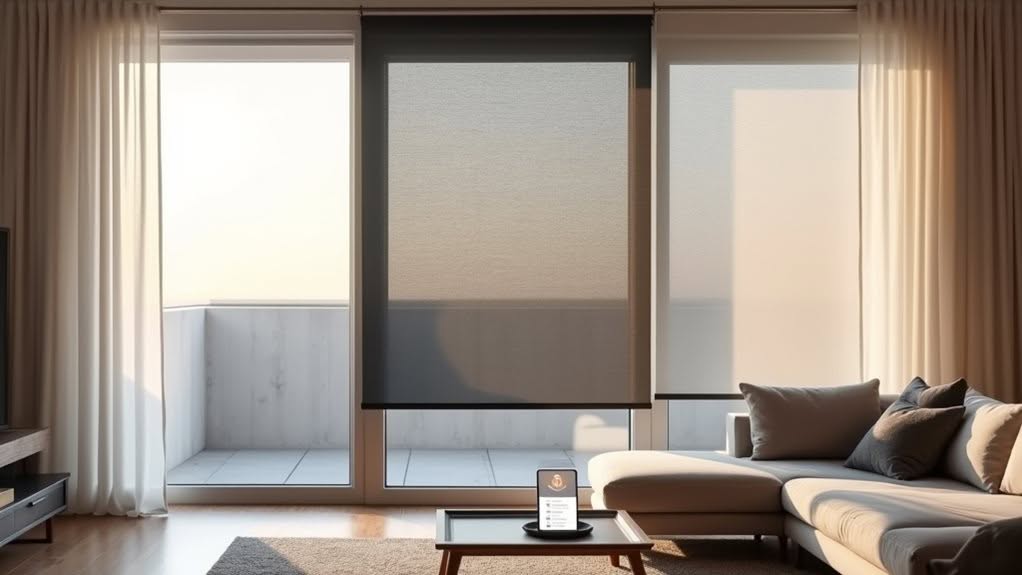
The top three Home Assistant-compatible smart curtains are Ryse SmartShade, SwitchBot Curtain 3, and Zemismart Zigbee curtain motors. Ryse installs easily on beaded-chain blinds with direct MQTT integration, while SwitchBot clips onto curtain rods and works via its hub. Zemismart’s Zigbee motors offer responsive local control without cloud dependencies. You can automate all three options based on time, sunlight conditions, or occupancy detection within your smart home ecosystem. Each solution balances different installation needs with control preferences.
Retrofit Options: Ryse Smartshade Vs Switchbot Curtain 3
When choosing retrofit options for smart curtains, both Ryse SmartShade and SwitchBot Curtain 3 offer distinctive solutions for transforming standard window coverings into automated systems.
Ryse SmartShade installs in under 10 minutes on beaded-chain shades using 3M tape without tools. It operates on continuous power via a wall adapter, eliminating charging concerns. The SmartShade is designed with renter-friendly features that leave no trace after removal.
SwitchBot Curtain 3 simply clips onto curtain rods or rails without hardware modifications, making it ideal for renters. It runs on rechargeable batteries that last several months per charge.
For Home Assistant users, Ryse offers direct MQTT integration through Bluetooth, bypassing the SmartBridge for local control. This setup provides a no-app, no-bridge solution that doesn’t require registration or additional hardware.
SwitchBot requires its hub for cloud-based Home Assistant integration, enabling remote access and voice control through Alexa, Google, and Siri.
Smart Curtain Robot: Zigbee Integration for Local Control
Smart curtain robots with Zigbee integration offer a powerful solution for users seeking reliable local control without cloud dependencies.
These devices require a Zigbee 3.0 gateway or Thread-enabled device to connect with Home Assistant.
Once integrated, your curtain robots appear as Cover entities, supporting open, close, stop, and position commands without internet reliance. This local control enables faster response times and improved privacy protection.
Popular options like Zemismart motors provide reliable integration with Home Assistant, though setup complexity can challenge new users. Most models support curtain weights up to 5 kilograms with adjustable track lengths.
The Zigbee mesh network boosts reliability across multiple curtain devices, particularly valuable in larger homes. Adding Zigbee repeaters to your network can significantly improve the range and stability of your smart curtain system. Implementing a comprehensive smart networking system ensures optimal performance across all your connected home devices. You can enjoy creating customized scenes to enhance home ambiance through automation rules that match your lifestyle.
You’ll also benefit from seamless automation possibilities, such as “Rise and Shine” routines that open curtains at dawn.
Power Solutions and Home Assistant Automation Capabilities
With the local control infrastructure in place, powering your smart curtains becomes the next consideration for reliable operation. Most smart curtain systems require mains AC power, which guarantees continuous functionality without battery limitations while providing quieter, more powerful performance.
Battery-powered options like SwitchBot Curtain 2 offer flexibility but require regular recharging or optional charging accessories. For DIY enthusiasts, low-voltage motors using USB adapters paired with WiFi modules present a viable alternative. You can optimize motor performance by setting the ShutterMotorDelay1 parameter to 1.0 when configuring your system.
Home Assistant transforms your curtains into responsive “Cover entities,” enabling precise positioning from 0% to 100%. You’ll benefit from sophisticated automation capabilities triggered by time, environmental conditions, or user input. For instance, curtains can automatically close when sunlight exceeds a threshold or when doors lock after dark. You can also integrate presence detection capabilities to automatically manage curtains based on whether you’re at home or away.
Physical control remains possible through Zigbee devices like the Hue Dimmer Switch, offering intuitive open, close, and stop functions.
Frequently Asked Questions
Can Smart Curtains Be Installed on Vertical Blinds?
Standard smart curtain motors don’t work well with rod-controlled vertical blinds. You’ll need specialized solutions like SOMA for corded vertical blinds or custom motorized systems specifically designed for vertical blind mechanisms.
How Noisy Are Motorized Curtain Solutions During Operation?
Most quality motorized curtains operate at 18-36dB, quieter than a whisper. You’ll barely notice them, especially if you’ve installed them on solid surfaces and maintain them regularly. Slower motors run even quieter.
Will Smart Curtains Work During Internet Outages?
Yes, smart curtains can work during internet outages if they use local control protocols like Zigbee or Z-Wave. You’ll maintain functionality as long as your Home Assistant and local hub remain operational.
Can Multiple Curtains Be Synchronized to Open Simultaneously?
Yes, you can synchronize multiple curtains in Home Assistant by using entity groups or automation scripts. This allows your curtains to open simultaneously with a single command, timer, or sensor trigger.
What’s the Typical Lifespan of Smart Curtain Motors?
You can expect your smart curtain motors to last 5-10 years. Premium models may exceed this with proper care. Your usage frequency, motor quality, and maintenance habits will directly influence how long they’ll serve you.
Final Thoughts
Whether you choose the retrofit simplicity of Ryse or SwitchBot, the local control of Zigbee-powered solutions, or a model with battery backup capabilities, you’ll find smart curtains that integrate seamlessly with Home Assistant. These options let you automate your window treatments based on time, temperature, or occupancy. Consider your installation preferences, power requirements, and connectivity needs to select the solution that works best for your smart home ecosystem.


