
You’ll choose Homey Bridge ($69) if you need basic smart home control with up to five devices free or don’t mind paying $2.99 monthly for unlimited devices and cloud dependency. You’ll pick Homey Pro ($399) if you want offline functionality, no subscription fees, and support for 50+ apps with 200+ devices. The Bridge requires constant internet connection while Pro operates locally, making it ideal for larger networks. Understanding your specific requirements and long-term costs will guide your decision.
Homey Bridge vs Pro: Which Smart Home Hub to Buy?
When choosing between Homey’s two smart home solutions, you’re deciding between fundamentally different approaches to home automation. The Homey Pro operates as an advanced smart home hub emphasizing local control, while the Homey Bridge functions as a cloud-centric bridge connecting devices to the Homey ecosystem.
Homey Pro targets tech enthusiasts with extensive device management and extensive compatibility across over 50,000 devices. It integrates seven wireless technologies, including Matter and Thread, and operates during internet outages for improved reliability. The Pro model includes 8 GB storage and 2 GB memory for enhanced performance capabilities. For users seeking to unlock the full potential of their connected home, the Pro’s Matter smart home hub capabilities provide seamless integration across different device brands and protocols.
Homey Bridge suits users testing home automation or those with simpler needs. It supports six wireless technologies but excludes Matter and Thread support. The Bridge automatically adjusts Z-Wave frequency based on your geographical location for optimal performance.
The Bridge requires internet connectivity for core functionality and operates with unlimited device support through Homey Premium subscriptions.
Homey Pricing: Bridge vs Pro Cost Breakdown
When choosing between Homey Bridge and Homey Pro, you’ll face a considerable difference in upfront costs: $69 for the Bridge versus $399 for the Pro model.
The Bridge requires a $2.99 monthly subscription for unlimited device connectivity, while the Pro operates without any ongoing fees. Both options support the same app ecosystem, ensuring consistent interfaces and device compatibility regardless of your choice.
The Bridge includes three months free of Homey Premium to help you evaluate the service before committing to the monthly subscription. Understanding these pricing structures and their long-term implications will help you determine which option provides better value for your specific smart home needs.
Initial Purchase Costs
Three distinct Homey models create a tiered pricing structure that reflects considerable hardware and functionality differences. The Homey Bridge retails for $69, positioning itself as the entry-level option for cloud-dependent smart home control.
You’ll pay $199 for the Homey Pro mini, which includes built-in ethernet connectivity and supports local-first operation. The flagship Homey Pro costs $399, representing a $330 increase over the Bridge model.
These price differences directly correlate to hardware capabilities and processing power. The Pro model contains 8 GB storage and 2 GB memory, while delivering 3.5 times more CPU performance than previous versions. The Pro mini features 1 GB RAM and 8 GB Flash Storage with a 1.5 GHz Quad-Core ARMv8 CPU.
If you need ethernet connectivity for the Pro model, you’ll spend an additional $29 for the required adapter, bringing total costs to $428. A combination of the Homey Pro Mini and Bridge costs $131 less than purchasing the standalone Homey Pro.
Monthly Subscription Fees
Beyond the initial hardware investment, subscription fees create ongoing cost differences that substantially impact your long-term smart home budget.
The Homey Bridge operates on a freemium model, allowing five cloud-connected devices without payment. However, you’ll need the premium subscription at $2.99 monthly to connect additional devices and access insights, variables, and advanced automation features.
The Homey Pro requires no mandatory subscription for core functionality. You get unlimited device connections and all advanced features included without recurring fees. The 2023 Homey Pro includes both standard Flows and Advanced Flows by default, eliminating the separate purchase requirement from earlier models.
Optional cloud backups cost $0.99 monthly for the Pro model, with annual prepayment available at €10. The service requires firmware version 4.0.0 or higher to function properly. Free USB-C backup remains an alternative option.
Annually, you’ll spend $35.88 for Bridge premium features versus $11.88 for optional Pro backups, creating approximately $24 in savings.
Long-Term Value Analysis
Although the Homey Pro’s $399 price tag creates a substantial upfront investment compared to the Bridge’s $69 cost, the long-term financial picture shifts dramatically when you factor in subscription requirements and device scaling needs.
Homey Bridge’s $2.99 monthly subscription becomes necessary once you exceed five connected devices, adding $35.88 annually to your operating costs. Over three years, this subscription totals $107.64, reducing the initial price advantage markedly.
Homey Pro eliminates ongoing subscription fees for unlimited device connections, making it more cost-effective for expanding smart home setups. The Pro model also features enhanced CPU and memory compared to standard Homey models, providing better performance for complex automation tasks.
Users requiring cloud backup pay just $10 annually for Homey Pro’s optional service.
The $330 upfront difference narrows considerably as your device count grows and subscription costs accumulate over time.
Why Homey Pro’s Processing Power Matters
When you’re managing a complex smart home ecosystem, the Homey Pro‘s improved processing power becomes the foundation that determines your system’s reliability and responsiveness.
The Homey Pro’s 2 GB RAM provides a substantial advantage over the mini’s 1 GB configuration, supporting approximately 60 apps compared to just 20.
This difference becomes critical when you’re running 40+ apps simultaneously in complex automation scenarios.
Both models feature identical 1.5 GHz quad-core ARMv8 processors, but the Pro’s extra memory enables more efficient execution of multiple concurrent operations. While Athom initially advertised the Pro with an 1.8 GHz processor speed, the actual operational specifications align with the standard Raspberry Pi Compute Module 4 capabilities at 1.5 GHz.
Your typical household needs only 14 apps, making either model sufficient for basic setups.
The Pro operates between 900-1500 MHz under normal conditions, consuming approximately 7W total power while maintaining ideal thermal management without throttling issues.
Homey Protocol Support: Bridge vs Pro Connectivity
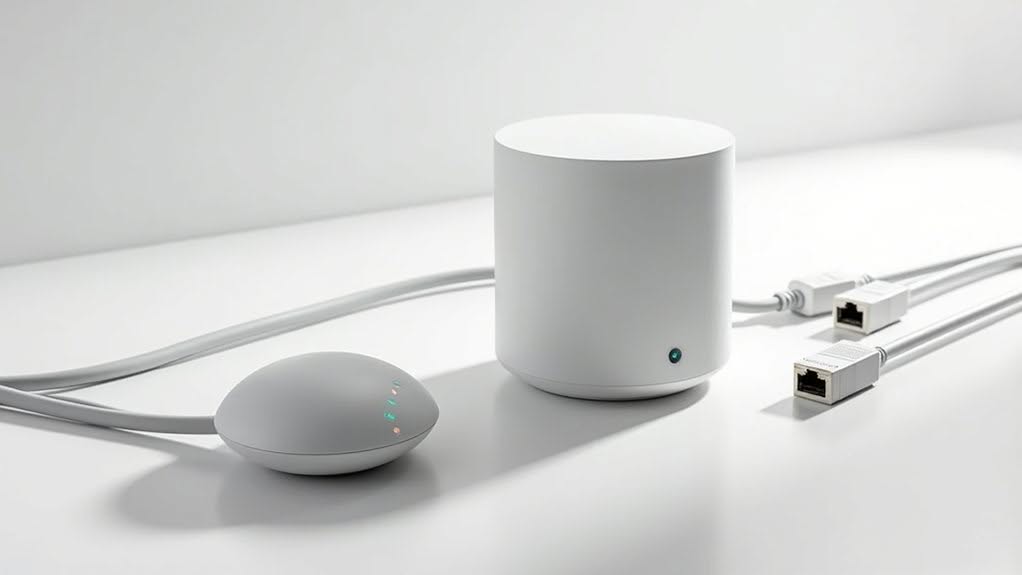
How markedly do protocol differences between these models affect your smart home’s connectivity potential?
The Homey Pro supports seven wireless protocols, including Wi-Fi, Zigbee, Z-Wave, 433MHz, Infrared, Bluetooth, Matter, and Thread.
The Bridge lacks Matter and Thread support, limiting future device compatibility.
Connectivity approaches differ considerably between models.
The Bridge requires constant internet connection for protocol operations, relying entirely on Homey’s cloud service.
The Pro processes all protocols locally, enabling offline operation without internet dependency.
The Pro offers Ethernet connectivity through an optional USB-C adapter for €29, providing wired reliability.
The Bridge lacks Ethernet options entirely.
Device limitations create additional constraints.
The Bridge supports five free devices, requiring Homey Premium subscription (€2.99 monthly) for expanded capacity.
The Pro handles unlimited devices without recurring fees or subscription requirements.
What Happens When Your Homey Loses Internet?
When your internet connection fails, the difference between Homey Bridge and Homey Pro becomes immediately apparent in how each device handles local automation.
Your Homey Pro continues operating all local protocols like Z-Wave, Zigbee, and infrared controls without any internet dependency, maintaining full smart home functionality during outages.
However, your Homey Bridge requires a constant cloud connection to function, which means all automations and device controls stop working when internet service drops.
Pro Maintains Local Control
Although internet outages can cripple most smart home systems, the Homey Pro maintains complete functionality through its robust local processing capabilities. You’ll experience uninterrupted device control and automation execution when your internet connection fails.
The Pro’s powerful hardware processes all operations on-device, guaranteeing your Zigbee and Z-Wave devices continue functioning as repeaters during outages.
Your Advanced Flows execute locally with complex logic and conditional statements intact.
Unlike cloud-dependent competitors, you won’t face service interruptions or token expiration limits.
The Pro’s local architecture means your energy monitoring, dashboards, and sophisticated automation chains operate flawlessly without external connectivity.
This local processing advantage delivers superior reliability compared to internet-reliant systems, keeping your smart home responsive when you need it most.
Bridge Requires Internet Connection
The regular Homey Bridge depends entirely on internet connectivity for operation, creating substantial limitations during network outages. Without internet access, you’ll lose control over all connected devices, regardless of their underlying protocols.
Unlike the Pro model, the Bridge can’t execute local commands or maintain device functionality when your internet connection fails. This means your smart home becomes completely non-functional during outages, even for basic operations like turning lights on or off.
The Bridge’s cloud-dependent architecture requires constant communication with Athom’s servers to process any automation or manual commands. You won’t be able to access the mobile app or control any devices until your internet connection returns, making it unsuitable for users who prioritize reliability during network disruptions.
When Homey Pro Becomes Worth the Extra Cost
Why might you justify spending €399 on Homey Pro when the Bridge costs considerably less? The answer depends on your specific smart home requirements and long-term goals.
You’ll benefit from Homey Pro if you manage more than five devices, since Bridge charges €2.99 monthly for additional devices.
Complex setups with 50+ apps, 200+ devices, and 600+ flows run seamlessly on Pro’s quad-core processor and 2GB RAM.
Internet reliability concerns make Pro valuable, as it operates offline while Bridge requires constant connectivity.
You’ll also gain access to seven wireless protocols versus Bridge’s limited options.
The €399 investment pays off long-term by eliminating most subscription fees, while Bridge’s monthly charges accumulate over time, eventually exceeding Pro’s upfront cost.
Homey Bridge vs Pro: Matching Your Smart Home Size
Smart home size directly determines which Homey model delivers better value and performance for your setup. The Bridge works best for smaller installations, while Pro handles extensive networks more effectively.
For compact smart homes, the Bridge’s five-device limit without subscription suits basic automation needs. You’ll manage fundamental devices like lights, thermostats, and sensors without monthly fees.
Medium-sized homes benefit from Bridge with Premium subscription at $2.99 monthly. This activates unlimited device connections while maintaining lower upfront costs than Pro.
Large installations require Pro’s local processing power and unlimited device support. Consider these scenarios:
- Starter Setup: 3-5 devices favor Bridge’s free tier
- Growing Home: 10-20 devices warrant Bridge with subscription
- Advanced Network: 25+ devices demand Pro’s capabilities
Pro eliminates subscription dependency while delivering superior reliability for complex smart home ecosystems.
Frequently Asked Questions
Can I Upgrade From Homey Bridge to Homey Pro Later?
You can’t directly upgrade from Homey Bridge to Homey Pro. You’ll need to manually re-add all devices and recreate flows. However, you can repurpose your Bridge as an extender for the Pro.
Does Homey Pro Work With My Existing Smart Home Devices?
Homey Pro supports over 50,000 devices from 1,000+ brands across Zigbee, Z-Wave, WiFi, Thread, and Matter protocols. Check Homey’s app store to verify your specific devices are compatible before purchasing.
How Long Does Homey Pro’s Warranty Last?
Your Homey Pro includes a 2-year warranty covering parts and labor from your purchase date. Both the 2023 and 2026 models receive identical warranty terms for hardware defects during this period.
Can I Use Multiple Homey Devices in One Home?
Yes, you can use multiple Homey devices in one home. You’ll link them through the Homesh app, distribute Zigbee loads across floors, use different channels for stability, and control all devices from one main interface.
What Happens to My Automations if I Switch Models?
Your automations transfer through cloud backup restoration when switching models. Flows remain intact, but you’ll need to re-pair some devices like Zigbee and Z-Wave sensors to your new Homey Pro hardware.
Final Thoughts
You’ll find the Homey Bridge adequate for basic automation needs and smaller setups. However, you should choose the Homey Pro if you’re running complex smart home systems, need local processing, or want extensive protocol support. The Pro’s higher cost becomes justified when you’re managing multiple devices and require reliable offline functionality. Consider your current setup size and future expansion plans when making your decision.


