
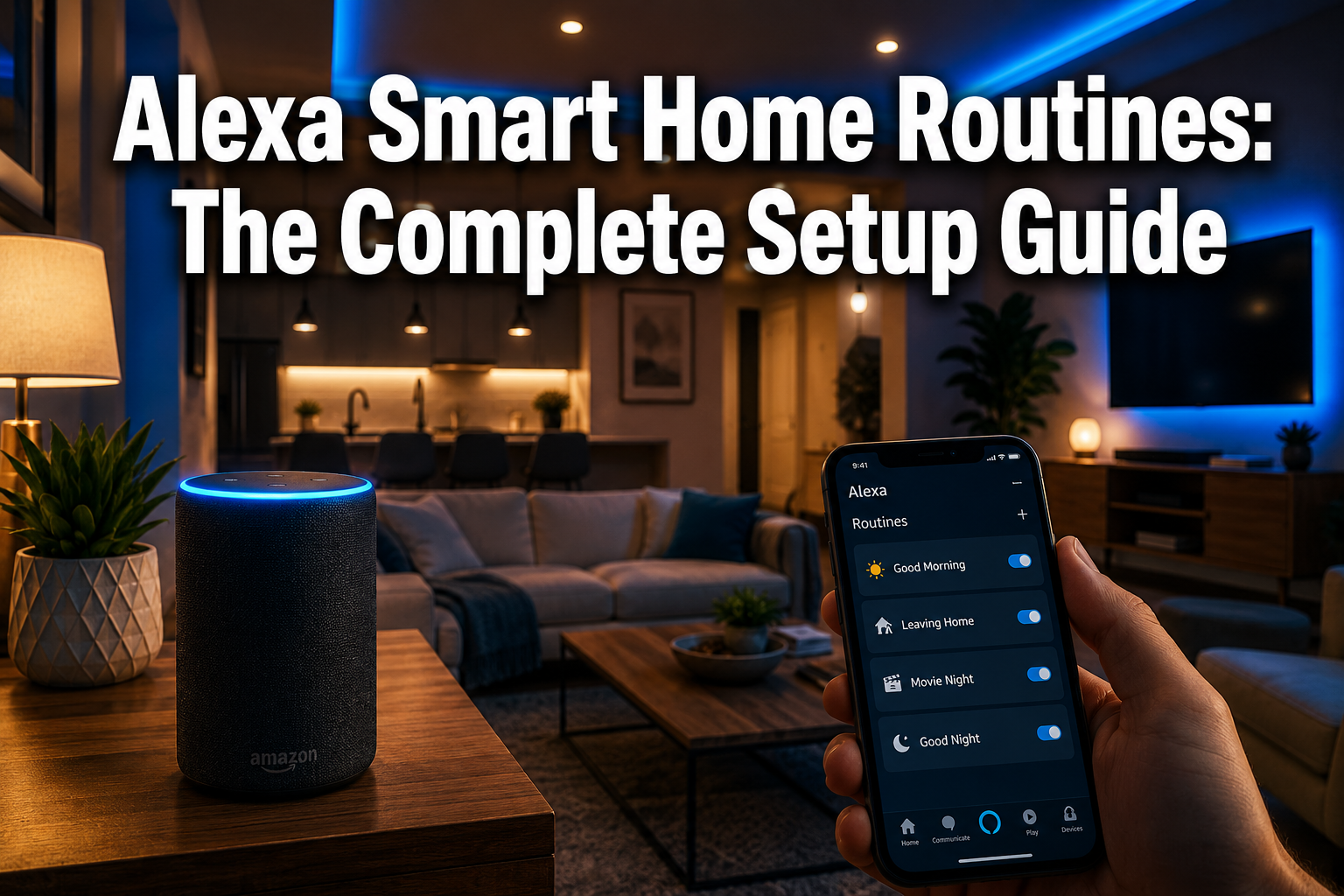
Over 100 million Alexa-enabled devices are active in homes worldwide — yet most owners use only a fraction of what the platform can actually do. If you are still asking Alexa to play music and set timers, you are missing the feature that transforms a voice assistant into a genuinely smart home system: Alexa routines.
Alexa routines let you chain multiple actions together and trigger them automatically — by voice, schedule, sensor, or even a sound. The result is a connected home that works around your life, not the other way around. This guide walks through everything you need to know, from your very first routine to advanced automations that make smarter everyday living a reality in 2026.
Key Takeaways
- Alexa routines combine triggers and actions to automate multiple smart home devices at once
- Routines can be triggered by voice, time, sunrise/sunset, motion, sensors, or sound detection
- The Alexa app is all you need — no coding, no hub required for most setups
- Matter 1.5 support on Echo devices (as of March 2026) means broader device compatibility than ever
- Alexa+ now allows you to create and edit routines using natural voice commands
What Are Alexa Routines?
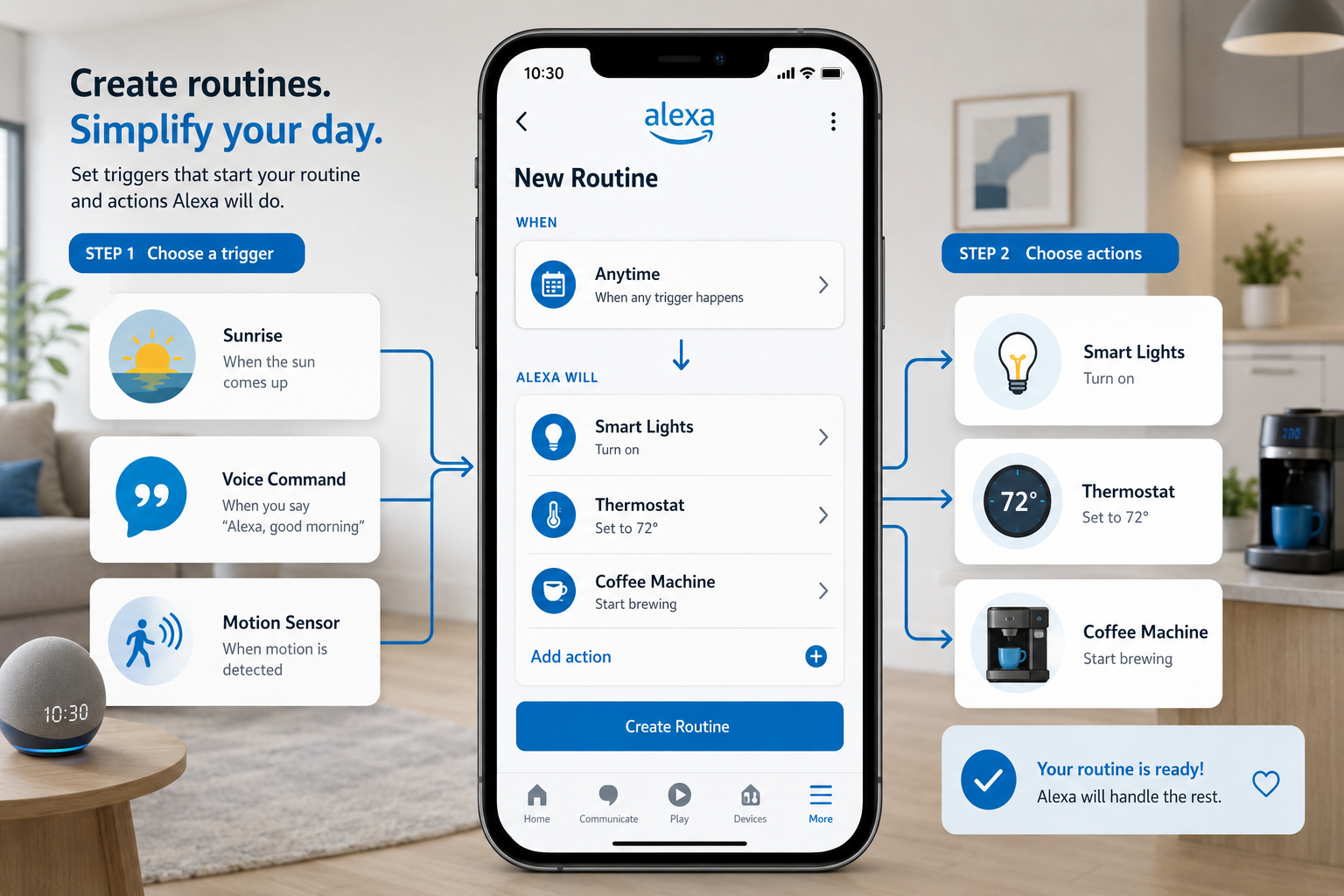
An Alexa routine is an automated sequence of actions that runs when a specific trigger occurs. Think of it as a domino effect: one event starts a chain reaction across your smart home devices.
Every routine has two core parts:
| Part | What It Does | Examples |
|---|---|---|
| Trigger | Starts the routine | Voice command, schedule, motion, sunrise |
| Action | What Alexa does | Turn on lights, adjust thermostat, play music |
The real power comes from combining multiple actions in a single routine. One “Good Morning” voice command could turn on your lights, raise your smart blinds, read the weather, and start your smart coffee machine — all at once.
This is smart living made simple.
What You Need Before You Start
Getting started with Alexa routines requires very little. Here is the short checklist:
- ✅ An Amazon Echo device (any generation)
- ✅ The Alexa app installed on your smartphone (iOS or Android)
- ✅ A stable Wi-Fi connection
- ✅ At least one compatible smart home device (smart bulb, plug, thermostat, etc.)
That is genuinely it for basic routines. For more advanced setups involving smart home sensors or security integrations, you may want additional hardware — but the barrier to entry is low.
💡 Good to know: As of March 2026, Echo devices support the Matter 1.5 protocol, which dramatically improves compatibility with third-party smart home devices. If you have been holding off on expanding your setup due to compatibility concerns, now is a great time to revisit.
How to Set Up Your First Alexa Routine
Setting up your first routine takes under five minutes. Follow these steps inside the Alexa app:
Step 1: Open the Alexa App Tap the More icon (bottom right), then select Routines.
Step 2: Tap the “+” Button This opens the routine builder. Give your routine a clear name like “Good Morning” or “Bedtime.”
Step 3: Choose Your Trigger Tap When this happens and select from:
- 🎙️ Voice (say a custom phrase)
- 🕐 Schedule (set a specific time)
- 🌅 Sunrise or Sunset
- 📱 Smart Home (motion sensor, door sensor, etc.)
- 🔊 Sound Detection (baby crying, dog barking, smoke alarm)
Step 4: Add Your Actions Tap Add action and choose what Alexa should do. You can add as many actions as you like, including:
- Control smart lights, plugs, or locks
- Adjust your home heating or thermostat
- Play music or a news briefing
- Send an announcement to other Echo devices
Step 5: Set Action Order and Delays Drag actions to reorder them. Use the Wait action to add pauses — for example, turn on the lights, wait 2 minutes, then start the coffee machine.
Step 6: Save and Test Tap Save, then trigger your routine to make sure everything works as expected.
The Best Alexa Routines for Every Home
Not sure where to start? These are the most popular and practical routines for UK and global homeowners in 2026.
Morning Routine 🌄
Trigger: Scheduled time (e.g., 7:00 AM) Actions: Gradually brighten bedroom lights → open smart shades → play morning news → announce the day’s weather
Bedtime Routine 🌙
Trigger: Voice command — “Alexa, goodnight” Actions: Turn off all lights → lock smart locks → set thermostat to sleep mode → play white noise
Leaving Home Routine 🚪
Trigger: Voice command — “Alexa, I’m leaving” Actions: Turn off all devices → arm security system → lower heating → confirm everything is off with a spoken summary
Arriving Home Routine 🏠
Trigger: Motion sensor at front door Actions: Turn on hallway lights → set living room temperature → play your favourite playlist
Energy-Saving Routine ⚡
Trigger: Scheduled time (e.g., 11:00 PM) Actions: Turn off non-essential plugs → lower thermostat → switch off standby devices
For energy-efficient living, this last routine alone can make a noticeable difference to your monthly bills.
Advanced Triggers: Sound, Sensors, and Security
Once you are comfortable with basic routines, the more powerful triggers open up genuinely impressive possibilities.
Sound Detection
Alexa can listen for specific sounds and use them as triggers. Supported sounds include:
- 👶 Baby crying
- 🐕 Dog barking
- 🔥 Smoke or CO alarm
- 💧 Water running
For example: when a smoke alarm is detected, Alexa can flash all smart lights red and send a notification to your phone. This is home security working at its smartest.
Smart Doorbells and Ring Integration
Connecting a smart doorbell to Alexa routines is one of the most popular advanced setups. When someone presses the doorbell or motion is detected outside, Alexa can:
- Announce “Someone is at the front door” on all Echo devices
- Turn on smart floodlights outside
- Start recording on connected cameras
Motion Sensors
Pairing routines with smart home sensors means your home reacts to movement automatically — lights come on when you enter a room, and switch off when you leave. Hands-free convenience at its best.
Sharing Routines
Amazon now lets US users share routines via a URL link — making it easy to discover and import routines created by others. This is a growing community feature that is expected to roll out more broadly.
Alexa+ and the Future of Routines
In early 2025, Amazon launched Alexa+, a significant upgrade powered by large language models. The impact on routines is substantial.
With Alexa+, you can:
- Create routines by voice — just describe what you want in natural language
- Control multiple devices in one request without setting up a formal routine first
- Receive proactive suggestions based on your habits and preferences
This moves Alexa from a reactive assistant to a proactive home automation partner. Rather than building every routine manually, Alexa+ can understand context and adapt — making automation more accessible for beginners and more powerful for advanced users.
The platform is evolving fast, and routines sit right at the centre of that evolution.
Troubleshooting Common Routine Problems
Even well-built routines occasionally misbehave. Here are the most common issues and quick fixes:
| Problem | Likely Cause | Fix |
|---|---|---|
| Routine does not trigger | Device offline or Wi-Fi issue | Check device connection in the Alexa app |
| Actions only partially complete | Device compatibility issue | Ensure devices support current Alexa skills |
| Voice trigger not recognised | Phrase too similar to another routine | Rename with a unique phrase |
| Schedule routine fires at wrong time | Incorrect time zone set | Update time zone in Alexa app settings |
| Smart home device not responding | Skill needs re-linking | Disable and re-enable the device skill |
For persistent issues, the smart home troubleshooting resources on this site cover deeper diagnostic steps.
FAQ
Can Alexa routines work without an internet connection? No — Alexa routines require an active internet connection to process commands and communicate with cloud-connected devices. Some locally-controlled devices may retain basic function, but routines themselves rely on Amazon’s cloud.
How many routines can I create? Amazon does not publicly cap the number of routines per account. In practice, most users run dozens without any issues. Keeping routines well-named and organised in the app makes them easier to manage.
Can multiple people in a household share routines? Yes. Anyone with access to the same Amazon household account can view and edit routines in the Alexa app. Amazon has also introduced a URL-sharing feature that lets users share routines externally.
Do Alexa routines work with non-Amazon devices? Absolutely. Alexa supports thousands of third-party devices through skills and the Matter protocol. As long as your device has an Alexa-compatible skill, it can be included in a routine.
What is the difference between a routine and a group in Alexa? A group controls multiple devices simultaneously with a single command (e.g., “turn off all lights”). A routine is more powerful — it can combine different device types, add delays, include announcements, and trigger automatically without a voice command.
Can Alexa routines trigger other routines? Not directly within the standard app — but using Alexa+ or third-party platforms like Home Assistant, you can create more complex chains. Check out our resources on home automation for advanced workflow ideas.
Conclusion
Alexa routines are the single most powerful tool available for turning a collection of smart devices into a truly connected home. Whether you want a simple morning wake-up sequence or a fully automated security and energy-saving system, the building blocks are all there — and the setup is simpler than most people expect.
Your next steps:
- 📱 Open the Alexa app and create your first routine today — start with a morning or bedtime trigger
- 🔗 Connect one new device (a smart plug or bulb) to expand what your routines can control
- 🔄 Revisit your routines monthly and refine them as your habits change
- 🚀 Explore Alexa+ if you want voice-driven routine creation and smarter automation
Control at your fingertips is not a luxury — it is what a modern home should feel like. Start with one routine, and you will wonder how you managed without it.


