Smart home switches have transformed the way you control your living space in 2025. These devices offer seamless integration with voice assistants like Alexa, Google Assistant, and Siri, allowing effortless management of lighting and appliances. With options ranging from TREATLIFE’s versatile 4-pack to GoveeLife’s compact double-button switch, you’ll find solutions for every room and need. The right smart switch can greatly reduce your energy consumption while adding convenience to your daily routine. What factors should you consider before making this crucial investment?
TREATLIFE Smart Light Switch with Alexa & Google Home (4 Pack)


The TREATLIFE Smart Light Switch 4-pack offers an ideal entry point for homeowners looking to convert their entire living space to smart lighting without breaking the bank. These single-pole switches work seamlessly with Alexa, Google Home, and SmartThings, allowing you to control your lights through voice commands.
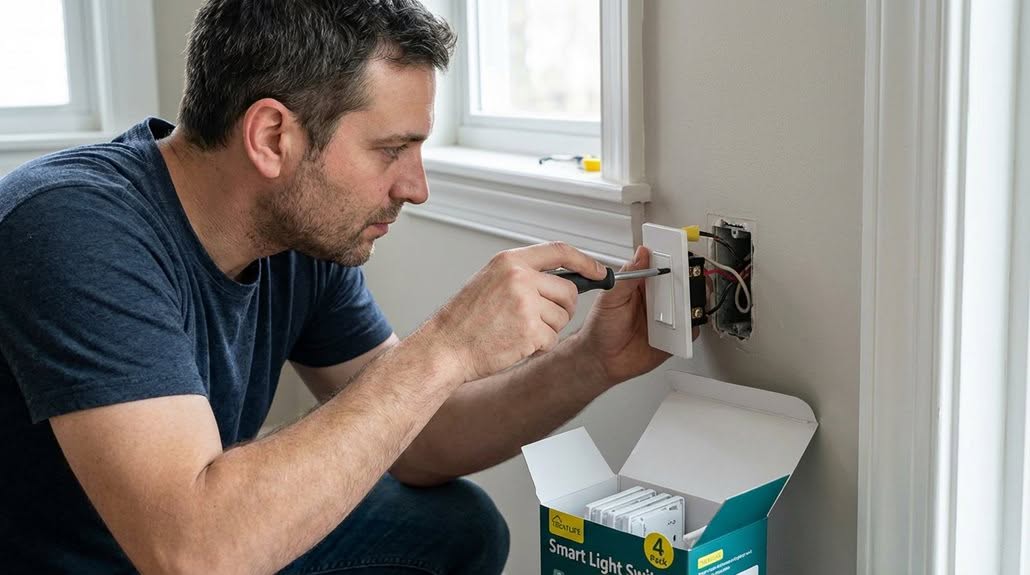
Installation is straightforward with included accessories: wall plates, wire nuts, screws, and an extensive manual. You’ll need a neutral wire, and these switches only support 2.4GHz WiFi networks.
Through the Smart Life app, you can create personalized schedules, monitor real-time status, and share device control with family members. The automation features let you program lights to create the appearance of occupancy, improving home security while you’re away.
Best For: Homeowners wanting to upgrade multiple rooms to smart lighting with a budget-friendly option that works with major voice assistants and doesn’t require complex wiring knowledge.
Pros:
- Compatible with Alexa, Google Home, and SmartThings for convenient voice control and integration with existing smart home ecosystems
- Includes all necessary installation components (wall plates, wire nuts, screws) and easy-to-follow instructions
- Offers robust automation features including scheduling, timers, and security functions that simulate occupancy
Cons:
- Requires a neutral wire, which may not be present in older homes
- Only works with 2.4GHz WiFi networks, not compatible with 5GHz
- Limited to single-pole setups, cannot be used for 3-way or multi-switch configurations
Linkind Matter Smart Plug (4 Pack), Works with Apple Home & Voice Assistants

Cross-platform compatibility stands out as the defining feature of Linkind’s Matter Smart Plug 4-pack, making it ideal for tech-savvy homeowners who use multiple ecosystems. These 15A/1800W rated plugs work seamlessly with Apple Home, Siri, Alexa, Google Assistant, SmartThings, and AiDot.
Setup is straightforward with Matter certification eliminating the need for multiple manufacturer apps. You’ll need a Matter-certified hub like HomePod or Echo Dot, though the AiDot app works without a hub.
These plugs maintain functionality even without internet access, communicating directly on your local network. You can control them remotely through the app or with voice commands.
The compact design includes safety features like fire-resistant materials and protection against short-circuits and overloads.
Best For: Smart home enthusiasts who use multiple ecosystems (Apple Home, Alexa, Google Assistant) and want reliable, versatile smart plugs with offline functionality.
Pros:
- Works with all major smart home platforms (Apple HomeKit, Alexa, Google Assistant, SmartThings) without requiring multiple apps
- Maintains functionality even during internet outages through local network communication
- Includes comprehensive safety features with fire-resistant materials and overload protection
Cons:
- Requires a Matter-certified hub (HomePod, Echo Dot, etc.) for integration with most platforms
- Limited to 2.4GHz Wi-Fi networks only, not compatible with 5GHz connections
- May have a learning curve for users new to Matter certification and smart home integration
TP-Link Tapo Smart Light Switch (2-Pack)

Homeowners seeking seamless smart home integration will find the TP-Link Tapo Matter Smart Light Switch an exceptional solution, as it works with all major voice assistants including Siri, Alexa, and Google Home. The UL-certified switch requires neutral wiring for proper installation.
The switch’s Matter compatibility guarantees it works with certified platforms like Apple Home, Amazon Alexa, and Samsung SmartThings. This integration lets you control devices from a single app, reducing the need for multiple applications.
Even without internet, the switch maintains functionality through LAN control. Device-to-device communication means your Matter switch can control Matter bulbs without cloud services.
The Multi-Admin feature allows control across different smart home systems simultaneously, offering flexibility in how you manage your lighting.
Best For: Homeowners with neutral wiring who want to integrate smart lighting controls across multiple platforms like Apple Home, Alexa, and Google Home without being tied to a single ecosystem.
Pros:
- Works with all major voice assistants and smart home platforms thanks to Matter compatibility
- Maintains functionality even during internet outages through local network control
- Multi-Admin feature allows seamless control from different smart home systems simultaneously
Cons:
- Requires neutral wiring, which may not be available in older homes
- Installation might require professional electrician assistance for those unfamiliar with electrical work
- Limited to 2.4 GHz Wi-Fi networks only, which may be an issue for homes using primarily 5 GHz
Kasa Smart Light Switch HS200 (Wi-Fi, Works with Google Home)

Busy professionals seeking reliable smart home control will find the Kasa Smart Light Switch HS200 exceptionally convenient for managing lighting remotely. This UL-certified switch operates on 2.4GHz Wi-Fi without requiring a hub.
Installation follows an app-guided process through the Kasa or Tapo app, though you’ll need neutral wiring. For those unfamiliar with electrical work, consulting an electrician is recommended.
You can monitor and control lights from anywhere using the Kasa app. Voice commands work through Google Assistant or Amazon Alexa for hands-free operation.
The HS200 offers practical security features, including an “away mode” that randomly toggles lights to simulate occupancy. With over 4 million users trusting this Silicon Valley-designed product, reliability comes standard.
Best For: Busy professionals and homeowners looking for a reliable, hub-free smart light switch with remote control capabilities and security features that integrates with Google Home and Alexa.
Pros:
- Remote control from anywhere using the Kasa app allows for convenient light management even when away from home
- No hub required with direct Wi-Fi connectivity, simplifying setup and reducing additional hardware costs
- “Away mode” security feature randomly toggles lights to create the appearance of occupancy, enhancing home security
Cons:
- Requires neutral wire for installation, which may not be present in older homes
- Only works on 2.4GHz Wi-Fi networks, not compatible with 5GHz
- Professional installation recommended for those unfamiliar with electrical wiring, adding potential cost
Kasa Smart 3 Way Switch HS210 KIT, Wi-Fi Light Switch (2-Pack)

The HS210 KIT from Kasa Smart offers a versatile lighting solution for tech-savvy homeowners who need to control lights from multiple locations. This UL-certified package includes two switches that operate on 2.4GHz Wi-Fi and require neutral wiring for installation.
You’ll enjoy app-guided setup through either the Kasa or Tapo application, with the switches functioning as either single pole or 3-way controls. If you’re unfamiliar with electrical work, consulting an electrician is recommended.
The system integrates seamlessly with Alexa and Google Home for voice control. You can create schedules, set timers, or activate “Away mode” to randomly turn lights on and off when you’re not home, boosting security.
Best For: Homeowners with multiple light control locations who want smart automation features and voice control compatibility with minimal DIY electrical knowledge.
Pros:
- Easy app-guided installation through either Kasa or Tapo apps with clear instructions
- Compatible with both Alexa and Google Home for convenient voice control options
- Advanced features like scheduling, countdown timers and “Away mode” for enhanced home security
Cons:
- Requires neutral wire which may not be available in older homes
- Only works on 2.4GHz Wi-Fi networks, not compatible with 5GHz
- May require professional installation if user is unfamiliar with electrical wiring
Kasa Smart Light Switch (KS200P3) 3-Pack, HomeKit Compatible

Apple enthusiasts seeking seamless smart home integration will find the Kasa Smart Light Switch (KS200P3) 3-Pack a vital addition to their connected homes.
This HomeKit-compatible switch requires a neutral wire and works with a standard wall plate size. You’ll appreciate the Kasa app’s step-by-step installation guidance, eliminating the need for complex wiring knowledge.
Control your lights hands-free through Siri, Alexa, or Google Assistant with simple voice commands. For remote access via HomeKit, you’ll need a networked HomePod or Apple TV.
The Kasa app lets you monitor light status from anywhere, set timers, and enable Away Mode to deter intruders by randomly switching lights on and off while you’re gone.
Best For: Apple ecosystem users wanting to add convenient, voice-controlled lighting to their HomeKit setup without complex wiring knowledge.
Pros:
- Compatible with multiple voice assistants (Siri, Alexa, and Google Assistant)
- Features useful security options like Away Mode to deter potential intruders
- Includes step-by-step installation guidance through the Kasa app
Cons:
- Requires a neutral wire, which may not be available in older homes
- Remote HomeKit access needs additional Apple hardware (HomePod or Apple TV)
- Only works with 2.4GHz Wi-Fi networks, not compatible with 5GHz
Kasa Smart 2-Gang Light Switch (HS200-2), Alexa and Google Home Compatible
Seamless smart home integration awaits users who need to control multiple light circuits with the Kasa Smart 2-Gang Light Switch (HS200-2). This single pole switch requires a neutral wire and operates on 2.4GHz Wi-Fi, allowing you to manage two separate circuits with one sleek device.
You’ll appreciate the convenience of controlling your lights remotely through the Kasa Smart app or with voice commands via Alexa and Google Assistant. The switch monitors light status and lets you manage electronics from anywhere—home, office, or vacation.
Advanced scheduling features help automate your lighting with timers and countdown schedules. The Away Mode randomly toggles lights to deter intruders when you’re not home.
Best For: Homeowners who want to control two separate light circuits from one sleek switch and integrate with smart home systems like Alexa and Google Home.
Pros:
- Controls two separate circuits with one device, providing a clean, flush appearance on your wall
- Offers remote control via app and voice commands through popular smart home platforms without requiring a hub
- Features advanced scheduling and Away Mode for enhanced home security while you’re away
Cons:
- Requires neutral wiring, which may not be present in older homes
- Only works with 2.4GHz Wi-Fi networks, not compatible with 5GHz
- May require professional installation or consultation with an electrician for those unfamiliar with electrical wiring
Kasa Smart Light Switch HS200P3 (3-Pack)

Perfect for homeowners seeking reliable Wi-Fi connectivity without additional hubs, the Kasa Smart Light Switch HS200P3 3-pack offers thorough smart lighting control at an accessible price point.
These UL-certified switches require neutral wiring and connect to your existing 2.4 GHz Wi-Fi network. The Kasa or Tapo app guides you through installation, though consulting an electrician is recommended for those unfamiliar with electrical work.
You’ll enjoy extensive control features, including remote monitoring from anywhere via the app. Voice commands work seamlessly with both Amazon Alexa and Google Assistant for hands-free operation.
The switches include practical scheduling options and an “Away mode” that randomly activates lights to simulate occupancy when you’re not home.
Best For: Homeowners looking to upgrade to smart lighting with voice control capabilities who have existing neutral wiring and 2.4 GHz Wi-Fi network without wanting to invest in additional hubs.
Pros:
- Simple app-guided installation process with remote control from anywhere via the Kasa or Tapo app
- Compatible with both Amazon Alexa and Google Assistant for convenient voice command functionality
- Includes security-enhancing “Away mode” that randomly activates lights to simulate occupancy
Cons:
- Requires neutral wiring, which may not be available in older homes
- Only compatible with 2.4 GHz Wi-Fi networks, not 5 GHz
- May require professional installation for those unfamiliar with electrical work
TP-Link Tapo Smart Light Switch (4-Pack)

The TP-Link Tapo Smart Light Switch 4-pack offers an ideal solution for homeowners looking to convert multiple rooms to smart lighting at once. This UL-certified system requires neutral wiring and connects to your 2.4GHz Wi-Fi network for reliable performance.
You’ll appreciate the app-guided installation that walks you through setup step-by-step, though consulting an electrician is recommended if you’re unfamiliar with electrical work.
Voice control compatibility with Amazon Alexa and Google Assistant lets you manage lights hands-free, perfect when entering dark rooms or when your hands are full.
The Tapo App provides remote access to monitor and control your lights from anywhere. Advanced features include scheduling, timers, and Away Mode to deter intruders by randomly switching lights.
Best For: Homeowners wanting to upgrade multiple rooms to smart lighting in one purchase with the convenience of voice control and remote access capabilities.
Pros:
- Easy app-guided installation process with step-by-step instructions makes setup accessible for most users
- Compatible with both Amazon Alexa and Google Assistant for seamless voice control integration
- Advanced security features like Away Mode provide peace of mind by simulating occupancy when you’re not home
Cons:
- Requires neutral wiring, making it incompatible with older homes lacking this electrical configuration
- Only works with 2.4GHz Wi-Fi networks, potentially causing connection issues in homes primarily using 5GHz
- May require professional installation for users unfamiliar with electrical work, adding to the overall cost
GoveeLife Smart Mini Double Button Switch for Smart Home Control

Control up to 50 GoveeLife smart devices with a single touch using the GoveeLife Smart Mini Double Button Switch. This compact device measures just 2.2 x 0.6 x 2.4 inches but delivers impressive functionality for your smart home ecosystem.
The switch offers an alternate mode that lets you toggle between executing and turning off tasks with each press. It works with GoveeLife dual-mode devices within a 180-foot range, though it isn’t compatible with 5G WiFi networks.
You’ll appreciate its versatility across various home environments including kitchens, living rooms, and outdoor spaces. The switch operates on a single CR2032 battery (included) and can be wall-mounted for convenient access.
Best For: Homeowners with multiple GoveeLife smart devices who want simplified control without using their phone app each time.
Pros:
- Controls up to 50 GoveeLife smart devices with a single button press
- Compact size (2.2 x 0.6 x 2.4 inches) with wall-mount capability for convenient placement
- Alternate mode allows toggling between executing and turning off tasks with each press
Cons:
- Not compatible with 5G WiFi networks
- Limited to controlling only GoveeLife ecosystem devices
- Cannot connect to popular voice assistants like Alexa or Google Assistant
Factors to Consider When Choosing a SMART Home SWITCH
When selecting your ideal smart home switch for 2025, you’ll need to evaluate several critical factors that affect performance and usability. Your first considerations should include ecosystem compatibility, neutral wire requirements, and whether you need single or multi-pole functionality for your specific installation. Additionally, you’ll want to assess local control capabilities for network-independent operation and voice assistant support to guarantee seamless integration with your existing smart home infrastructure.
Compatibility With Ecosystems
As you integrate smart switches into your home, compatibility with your existing ecosystem becomes a critical consideration. Your switches should work seamlessly with your preferred voice assistant, whether you use Alexa, Google Assistant, or Siri.
Look for switches that support Matter certification, as this standard guarantees compatibility across different smart home platforms. This allows you to control all your devices through a single app, simplifying your smart home management.
Verify whether the switch requires a neutral wire, as this affects installation compatibility with your home’s existing wiring. Additionally, check the Wi-Fi requirements—many smart switches only operate on 2.4GHz networks.
For more reliable operation, consider switches offering offline functionality. These can communicate over your local network even when internet connectivity is unavailable.
Neutral Wire Requirements
Beyond compatibility with your smart home ecosystem, the electrical compatibility of your switch is a fundamental consideration. Many modern smart switches require a neutral wire to function properly.
This neutral wire provides a continuous electrical return path, guaranteeing your switch works reliably and prevents issues like flickering. Before purchasing, you’ll need to check your existing switch boxes for neutral wires, which appear as white bundled wires.
Older homes often lack neutral wires in switch boxes, which can greatly limit your options. Without a neutral wire, you’ll need to choose switches specifically designed to work without one or consider electrical modifications.
If you’re uncertain about your home’s wiring configuration, consult a qualified electrician before making any purchases. This professional assessment will help you avoid compatibility problems and guarantee safe installation.
Single Vs Multi-Pole
Understanding the difference between single-pole and multi-pole switches represents a critical decision point in your smart home planning. Your choice will greatly impact both installation complexity and daily convenience.
Single-pole switches control lights from just one location, making them ideal for simpler setups like bedrooms or closets. They’re easier to install with fewer wiring connections required.
Multi-pole configurations, particularly 3-way switches, allow you to control the same lights from multiple locations. This proves valuable in larger spaces like hallways or stairwells where you’ll enter and exit from different points.
When selecting smart switches, consider your home’s layout carefully. Multi-pole setups involve more complex wiring and might require professional installation, while single-pole options offer straightforward DIY-friendly installation but less flexibility in controlling your lighting.
Local Control Capabilities
While the internet connects our homes to the broader world, local control capabilities represent one of the most crucial yet often overlooked features when selecting smart switches.
Modern Matter-certified switches operate independently of cloud services, functioning reliably even during internet outages. This means you’ll maintain control of your lighting and connected devices regardless of your internet connection status.
These switches communicate directly over your local area network, enabling device-to-device interaction without requiring a central hub. Your smart bulbs and outlets remain responsive to switch commands through this direct communication pathway.
The advantage extends beyond reliability—local control considerably reduces response time. When you flip a switch, the action happens immediately, without the delay that comes from routing commands through distant servers.
For daily routines and energy management, look for switches offering local scheduling and automation features.
Voice Assistant Support
Voice Assistant Support adds another layer to the local control foundation, extending your command capabilities through speech. When selecting a smart switch, compatibility with Amazon Alexa, Google Assistant, and Apple Siri guarantees you’ll enjoy hands-free operation throughout your home.
The best switches of 2025 offer multi-platform compatibility, allowing you to control devices across different ecosystems without switching between apps. This flexibility is vital for homes with diverse smart products.
Look for switches that support voice commands for scheduling and automation. You’ll appreciate being able to create lighting routines or control devices with simple phrases like “dim the living room lights” or “turn off the kitchen.”
When evaluating voice assistant integration, consider how it fits into your existing smart home system to maintain seamless interoperability between all your connected devices.
Physical Design Features
Although smart switches prioritize digital capabilities, their physical design greatly impacts their functionality and ease of installation. When selecting a smart switch, consider whether it fits standard wall plate dimensions to guarantee seamless integration with your existing setup.
The presence of a neutral wire requirement is essential, especially for older homes where this wiring might be absent. Your switch should be compact enough to work well in multi-gang configurations without crowding neighboring switches.
Look for models featuring screwless snap-on wall plates, which provide a cleaner aesthetic while making installation more straightforward. You won’t have to worry about visible screws disrupting your home’s design.
For safety and durability, prioritize switches constructed with fire-resistant materials. These designs not only improve protection but also guarantee your investment lasts longer in daily residential use.
Frequently Asked Questions
Can Smart Switches Work Without an Internet Connection?
Yes, most smart switches can work without internet. You’ll still control them manually, but you won’t have remote access, voice commands, or automation features that rely on cloud connectivity. Local network functionality often remains.
Do Smart Switches Require a Neutral Wire for Installation?
Most smart switches do require a neutral wire for proper installation and functionality. However, you can find some no-neutral options on the market specifically designed for older homes with limited wiring configurations.
Are Smart Switches Compatible With Dimming LED Lights?
Yes, many smart switches are compatible with dimming LED lights, but you’ll need to verify both your switch and LEDs are dimmable. Check compatibility specifications before purchasing to avoid flickering or poor performance issues.
How Long Do Batteries Last in Wireless Smart Switch Models?
You’ll typically get 1-2 years from batteries in wireless smart switches, depending on usage frequency and brand. Some premium models offer up to 3 years while budget options might need replacement after 6-8 months.
Can I Control Smart Switches When Away From Home?
Yes, you can control smart switches remotely through smartphone apps when away from home. You’ll need an internet connection and a hub or Wi-Fi enabled switches that connect to your home network.
Final Thoughts
You’ve now explored the best smart home switches of 2025, each offering unique features to improve your living space. When selecting the right switch, consider compatibility with your preferred voice assistant, installation requirements, and the specific functions you need. With options ranging from multi-packs to specialized controls, today’s smart switches provide unprecedented convenience while helping you save energy and create a more efficient home environment.