
No, you don’t need a dedicated server for Home Assistant. It can run on various affordable devices like a Raspberry Pi 4 (recommended for beginners), mini PC, or even an old laptop. You’ll need minimal hardware: a 1GHz dual-core processor, 2GB RAM (4GB preferred), and at least 16GB storage (SSD recommended over SD cards). The device must operate 24/7 for reliable smart home automation. The right hardware choice depends on your budget, performance needs, and future expansion plans.
What Hardware Can Run Home Assistant?
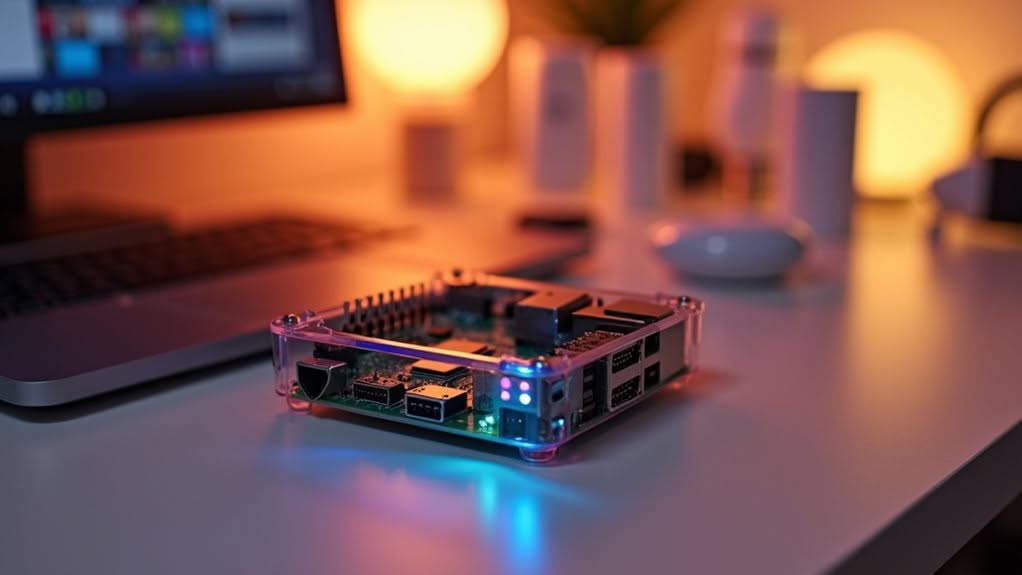
When considering hardware options for running Home Assistant, you’ll find a surprisingly diverse range of compatible devices.
General-purpose computers offer flexibility and power. X86-64 PCs provide excellent performance for large installations, while NUCs and Mini PCs deliver reliable operation in compact packages. Intel mini PCs with N95 or better processors are particularly recommended for optimal performance.
Even old laptops can be repurposed, offering built-in battery backup.
Single-board computers like Raspberry Pi remain popular, though newer guidance suggests considering alternatives for better performance. Home Assistant Yellow Kit is specifically designed to work with Raspberry Pi Compute Modules for optimal performance.
ESP32/ESP8266 boards work well for DIY sensors but can’t host the main system.
Dedicated appliances such as Home Assistant Green/Yellow provide optimized, plug-and-play experiences with integrated Zigbee support.
You can also run Home Assistant in virtualized environments using Docker containers, VMs, or even on NAS devices, making it easy to leverage existing hardware in your home.
Minimum System Requirements for Reliable Operation
To run Home Assistant reliably, you’ll need hardware that meets specific minimum requirements across several key areas.
Your system should have at least a 1 GHz processor (preferably dual-core or better), with 2 GB RAM as an absolute minimum for basic operation and 4+ GB recommended for multiple add-ons.
Storage requirements start at 128-256 GB SSD space for stability, with traditional SD cards being less reliable for continuous operation due to their higher failure rates. For optimal performance, utilizing a NUC device offers more power in a compact size while avoiding potential SD card corruption issues common with Raspberry Pi setups. A Raspberry Pi 4 is considered the recommended starting point for most Home Assistant installations, providing adequate performance for typical smart home needs. Alternatively, dedicated hub devices are available that come pre-configured specifically for Home Assistant integration.
Minimum System Requirements for Reliable Operation
Setting up Home Assistant requires understanding several key hardware requirements to guarantee reliable operation.
You’ll need at least 16GB of storage, though 32GB or more is recommended for addons and backups. SSDs offer better performance than traditional HDDs, providing faster boot times and improved system responsiveness. Most experts recommend at least 256 GB SSD for optimal long-term usage.
For processing power, a Raspberry Pi 3B represents the minimum viable option, but a Pi 4 or Intel NUC delivers a more seamless experience with complex configurations. For x86-64 systems, UEFI boot mode must be supported and enabled for proper Home Assistant OS installation.
Stable power supply is critical—unstable power can corrupt data or cause unexpected shutdowns. Raspberry Pi 4 requires a proper USB-C power supply, while other devices have their own specifications.
Cooling solutions like heat sinks or fans are necessary for devices running continuously to prevent thermal throttling and maintain consistent performance.
Processor and Memory Needs
Processor power and memory capacity form the foundation of any reliable Home Assistant setup. Your system needs at minimum a 1 GHz processor, though a modern Intel Celeron or Pentium running at 1.8 GHz will deliver enhanced performance. The performance of these processors far exceeds Raspberry Pi models while remaining cost-effective options.
RAM requirements start at 1GB for basic functionality, but you’ll want at least 2GB for comfortable operation. If you’re planning to run multiple add-ons simultaneously, consider 4GB or more. For virtual machine deployments, 2GB allocation is recommended as a starting point for stable performance with basic configurations.
Dual-core processors handle most Home Assistant configurations well, while more cores enable additional services alongside your smart home controller.
Storage type greatly impacts performance—an SSD or eMMC drive will outperform microSD cards in both speed and reliability. This becomes especially important as your automations and integrations grow more complex.
Storage Recommendations
Adequate storage serves as the foundation for a reliable Home Assistant system, with specific requirements that extend beyond simple capacity.
You’ll need a minimum of 16GB for basic operation, though 32GB is recommended for Windows installations. Most practical setups benefit from at least 128GB of storage space to accommodate future growth.
SSDs or eMMC storage considerably outperform SD cards in both speed and longevity, making them ideal choices for 24/7 operation. High-endurance storage with wear-leveling technology will extend your system’s lifespan.
Your storage needs will increase with each add-on and integration you implement. Resource-intensive components like video recording (NVR) or database management may require hundreds of gigabytes, so plan accordingly. Many users report rapid growth in storage requirements as they expand their smart home systems. When using a virtual machine setup for Home Assistant OS, the recommended minimum is 32GB of storage space.
Consider external storage solutions for media files to prevent overloading your main system drive.
Popular Hardware Options for Beginners
When starting with Home Assistant, you’ll need to choose between Single Board Computers (SBCs) or Mini PCs as your foundation.
SBCs like the Raspberry Pi 4 offer an affordable entry point for basic setups with minimal power requirements and straightforward configuration.
Mini PCs such as the Beelink Mini S12 provide considerably more processing power and memory, which you’ll appreciate if you plan to run multiple integrations or process camera feeds alongside your Home Assistant installation.
SBCs for Simple Setups
Single-board computers (SBCs) offer an ideal entry point for anyone looking to set up Home Assistant without investing in a full-fledged server.
The Raspberry Pi 3B provides a cost-effective starting point, while the Pi 4 delivers better performance with more RAM. Both require stable power supplies (5V/2.5A) and proper cooling to prevent overheating during continuous operation.
ZimaBoard SBCs need at least 2GB of RAM, though 4GB is recommended for peak performance. They utilize microSD cards with a 16GB minimum capacity.
For users needing more computing power, the Odroid-N2 features a hexa-core processor and faster eMMC storage compared to standard microSD cards.
Previously available all-in-one options like Home Assistant Blue offered plug-and-play convenience but are currently unavailable for purchase.
Mini-PCs: Power Matters
Mini-PCs represent a notable step up from single-board computers while maintaining a compact form factor that fits easily into home environments. They offer substantially more processing power and flexibility for running Home Assistant alongside other services.
Popular mini-PC options include:
- Beelink Mini S12: Affordable Celeron-based system with up to 16GB RAM
- Intel NUC: Reliable brand with expandable storage and memory options
- Chuwi LarkBox and Minisforum models: Compact, energy-efficient choices
- Odroid-H3/H3+: x86 architecture with robust performance
- Apple Mac Mini: Overkill for Home Assistant alone but perfect for multi-service setups
Most modern mini-PCs with a 64-bit CPU, UEFI BIOS, and at least 2GB RAM can run Home Assistant effectively.
Entry-level models start around $150-250, making them competitive with fully-accessorized Raspberry Pi setups.
Scaling Your Setup: From Basic to Advanced
As your smart home ambitions grow, you’ll need hardware that can keep pace with your expanding ecosystem of devices and automations.
Beginners can start with a Raspberry Pi 4 (4GB or 8GB RAM), which balances cost and performance for smaller setups.
For intermediate needs, consider repurposing old PCs or investing in mini PCs like Intel NUCs that offer better performance for larger configurations.
These options support multiple operating systems and provide flexibility in hardware management.
Advanced users seeking improved performance might explore the Odroid-N2 with its hexa-core processing, or purpose-built devices like Home Assistant Green and Yellow.
High-performance mini PCs from manufacturers like Beelink can handle complex integrations and larger data processing tasks simultaneously.
Each option offers different capabilities, allowing you to scale your Home Assistant setup as your requirements evolve.
Power Consumption and 24/7 Availability Considerations
When choosing hardware for your Home Assistant setup, power consumption becomes a crucial factor that directly impacts both your electricity bill and environmental footprint.
Your server will run continuously, so even small differences in power usage add up over time.
Home Assistant requires 24/7 operation for reliable smart home functionality.
Consider these key factors:
- Low-power devices like Raspberry Pis consume under 5W, while full x86 servers can exceed 30W
- Unexpected downtime disrupts automations, logging, and device control
- Hardware selection affects both power usage and system reliability
- UPS backup prevents disruptions during power outages
- Built-in energy monitoring helps track your server’s actual consumption
For always-on operation, balance your performance needs against energy usage while guaranteeing adequate hardware reliability.
Storage and Network Planning for Smart Home Hubs
Proper storage and network planning forms the foundation of a reliable Home Assistant system that won’t fail when you need it most.
Your setup requires at least 16GB of storage, though 32GB is recommended for virtual machines and 64GB+ for physical devices that will store media and logs.
Always choose SSDs over HDDs or SD cards for 24/7 reliability.
SSDs offer superior durability and performance for continuous operation, making them the only sensible choice for smart home hubs.
Raspberry Pi users should consider USB-connected SSDs instead of corruption-prone microSD cards.
For networking, wired Ethernet connections provide the stability your smart home needs.
While Wi-Fi is possible, it introduces potential latency and reliability issues for critical functions.
Consider creating a dedicated VLAN or subnet for your IoT devices to improve security.
Regular backups are crucial regardless of your storage medium, with automated solutions available through Home Assistant integrations.
Migration Paths: Growing Your System Over Time
Your Home Assistant expedition doesn’t need to begin with expensive, high-powered hardware right away. Starting with modest equipment allows you to learn the system while planning for future expansion as your smart home needs evolve.
Consider these common upgrade paths as your system grows:
- Begin with a Raspberry Pi 4 (4GB RAM) for an economical entry point
- Shift to SSD storage when your configuration becomes more complex
- Upgrade to a NUC or x86-64 system when processing demands increase
- Add more RAM (8GB+) when running multiple resource-intensive add-ons
- Implement dedicated network infrastructure for improved reliability
Home Assistant’s flexibility means you can seamlessly migrate your configuration between different hardware platforms.
This approach lets you invest incrementally while maintaining your automations and device integrations intact through each shift.
Frequently Asked Questions
Can I Run Home Assistant on My NAS Device?
Yes, you can run Home Assistant on your NAS if it supports container technology. Synology NAS with DSM 7.2+ works well using Container Manager. You’ll need at least 2GB RAM and 32GB storage.
How Does Home Assistant Handle Power Outages?
Home Assistant itself doesn’t handle power outages well. When power fails, your system goes offline unless you’ve installed a UPS. You’ll need to manually restore services and potentially correct device states after power returns.
Will Home Assistant Work if My Internet Goes Down?
Yes, Home Assistant will still work if your internet goes down. You’ll maintain local control over your smart devices through your home network, though any cloud-dependent services won’t function until connectivity returns.
Can I Access Home Assistant Remotely Without Opening Ports?
Yes, you can access Home Assistant remotely without opening ports by using Cloudflare Tunnel, Home Assistant Cloud, or VPN services like Tailscale or ZeroTier. These options provide secure, encrypted access without port forwarding.
Should I Separate My Smart Home Devices Onto a Different Network?
Yes, you should separate your smart home devices onto a different network. It limits security risks by preventing compromised IoT devices from accessing your main network, though you’ll need to guarantee proper communication between crucial devices.
Final Thoughts
You don’t need a dedicated server to use Home Assistant, but you do need some type of computing device to run it. Your options range from a Raspberry Pi to an old computer or a virtual machine on your existing PC. Consider your smart home’s complexity, power consumption, and growth plans when choosing hardware. With minimal requirements and flexible installation options, Home Assistant remains accessible for beginners and advanced users alike.


