
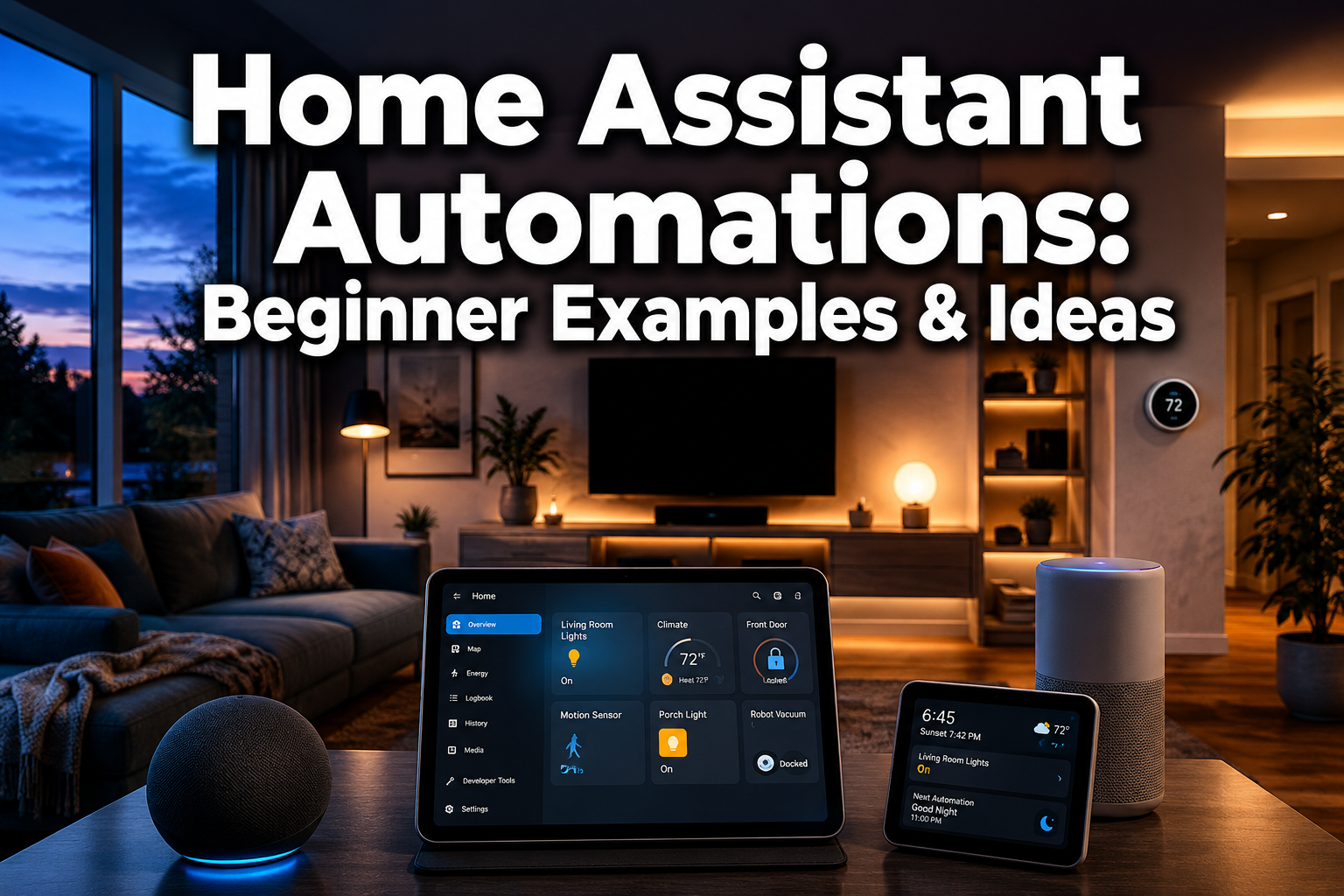
Over 60% of smart home users say they never use their devices to their full potential — and the biggest reason is not knowing where to start with automations. If your smart home still relies on manually tapping an app to turn off the lights, you are missing out on the real magic. Home assistant automations are what transform a collection of gadgets into a genuinely connected home that works for you.
This guide is built for beginners. No coding experience needed. No engineering degree required. Just practical, real-world ideas that make everyday life easier, safer, and more energy-efficient.
Key Takeaways
- Home Assistant automations use triggers, conditions, and actions to run tasks automatically without manual input.
- Even beginners can set up useful automations in minutes using the built-in automation editor.
- Lighting, heating, security, and morning routines are the best starting points for new users.
- Automations can save energy, improve home security, and add genuine hands-free convenience.
- Start simple, then layer in complexity as your confidence grows.
What Are Home Assistant Automations?
Home Assistant is a free, open-source smart home platform that lets you connect and control hundreds of devices from a single dashboard. It runs locally on your home network, which means faster response times and better privacy than most cloud-based systems.
Home assistant automations are rules you set up once that tell your home what to do — and when. Switch the lights on when you arrive home. Turn the heating down when a window opens. Send a notification if the front door opens after midnight. These are all automations.
The beauty of smart home automation is that once it is set up, it just works. No app-tapping, no remembering, no manual effort. Smart living made simple.
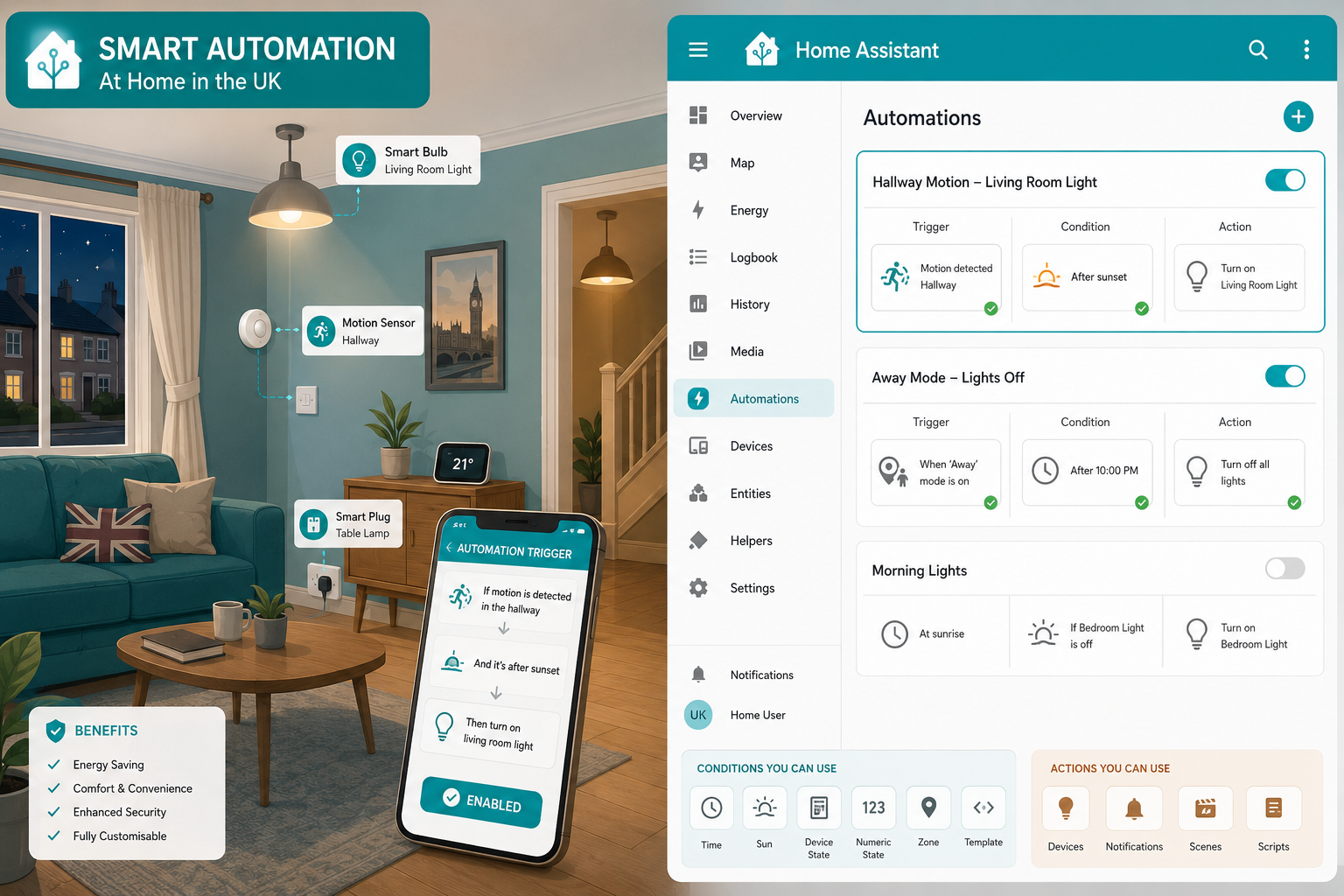
How Automations Work: Triggers, Conditions, and Actions
Every home assistant automation is built from three building blocks:
| Part | What It Does | Example |
|---|---|---|
| Trigger | Starts the automation | Motion detected at 8pm |
| Condition | Optional check before acting | Only if someone is home |
| Action | What actually happens | Turn on hallway lights |
Think of it like a simple sentence: “When [trigger], if [condition], then [action].”
Home Assistant’s visual automation editor makes this genuinely beginner-friendly. No code required — just dropdowns and toggles. You can explore more through the Home Assistant tag hub for device-specific guides and ideas.
💡 Pro tip: Start with a single trigger and one action. You can always add conditions later once you are comfortable.
Best Home Assistant Automation Examples for Beginners
Here are the most popular and practical home assistant automations to get you started:
🌅 Morning Routine Automation
- Trigger: Time — 7:00am on weekdays
- Action: Gradually brighten bedroom lights, turn on the coffee machine via a smart plug, and set the thermostat to a comfortable temperature
This is one of the most satisfying automations to set up. You wake up to a warm, lit home without touching a single switch. Tailored to your routine from day one.
🚶 Presence-Based Lighting
- Trigger: You arrive home (phone GPS or door sensor)
- Action: Turn on hallway and living room lights
Pair this with a smart home sensor and you have hands-free convenience the moment you walk through the door.
🌙 Goodnight Routine
- Trigger: A virtual button labelled “Goodnight” on your dashboard
- Action: Turn off all lights, lock the front door, set heating to night mode, arm the security system
One tap, and your whole home is ready for bed. That is control at your fingertips.
🚪 Away Mode
- Trigger: Last person leaves home
- Action: Turn off all lights and non-essential devices, lower the heating, activate security cameras
This alone can cut unnecessary energy use significantly — and gives real peace of mind.
Automation Ideas by Room
Breaking automations down by room makes it easier to plan what you actually need.
Living Room
- Dim lights automatically when a film starts on your TV
- Adjust the thermostat based on occupancy using a motion sensor
Kitchen
- Get a notification when the washing machine finishes (via a smart plug monitoring power draw)
- Turn on under-cabinet lights at sunset
Bedroom
- Gradually brighten lights to simulate sunrise
- Turn off all bedroom devices when you say “goodnight” to your voice assistant
Hallway & Entrance
- Motion-triggered lights that turn off after 2 minutes
- Alert your phone when the front door opens
Garden
- Automate outdoor lighting at sunset and sunrise — explore outdoor lighting automation ideas for inspiration
- Trigger garden watering based on weather data
Energy-Saving Automations Worth Setting Up Today
Energy-efficient living is one of the strongest arguments for setting up home assistant automations. Small automations add up to real savings on your bills.
Top energy-saving automations:
- ⚡ Turn off standby devices — Use smart plugs to cut power to TVs and consoles when not in use
- 🌡️ Heating schedules — Automatically lower the smart thermostat when everyone leaves and raise it 30 minutes before you return
- 💡 Lights off when empty — Motion sensors trigger lights off after a set idle time in any room
- ☀️ Use natural light — Automate smart curtains to open at sunrise and reduce artificial lighting needs
Pair these with home energy tracking tools to see exactly how much you are saving. Energy-efficient living does not require sacrifice — just smarter automation.
Home Security Automations for a Safer Home
A connected home is a safer home. Home assistant automations can dramatically improve your home security without expensive monitoring contracts.
Beginner-friendly security automations:
- 🔔 Door/window sensor alerts — Get an instant phone notification if a door or window opens while you are away
- 📹 Camera recording on motion — Trigger camera recording when motion is detected outside after dark
- 🔒 Auto-lock doors — Lock smart locks automatically 10 minutes after they are unlocked
- 💡 Intruder deterrent lighting — Randomly switch lights on and off when you are on holiday to simulate occupancy
- 🚨 Smoke and CO alerts — Trigger all lights to flash red and send an alert if a smoke detector fires
Explore more ideas through home security automation resources to build a layered, reliable system. These automations give genuine peace of mind — a truly safer home without the complexity.
Tips for Getting Started Without Overwhelm
Starting with home assistant automations can feel daunting. Here is how to keep it manageable:
- Pick one room, one automation. The hallway light on motion detection is a perfect first project.
- Use the visual editor first. Home Assistant’s built-in editor requires zero code. Save YAML scripting for later.
- Test before you rely on it. Trigger automations manually to check they behave as expected.
- Join the community. The Home Assistant community forums are incredibly active and beginner-friendly.
- Add devices gradually. You do not need 20 smart devices on day one. Start with a smart plug and a motion sensor.
- Check the troubleshooting guides if something does not work — smart home troubleshooting resources can save hours of frustration.
🛠️ Remember: Every experienced Home Assistant user started exactly where you are now. The learning curve is real but short.
Automation Idea Picker
🏠 Find Your First Automation
FAQ
Q: Do I need to know how to code to use Home Assistant automations? No. The built-in visual automation editor uses dropdowns and toggles. Coding (YAML) is optional and only needed for advanced setups.
Q: What devices work with Home Assistant? Home Assistant supports over 3,000 integrations, including Philips Hue, Google Home, Nest, IKEA Tradfri, Zigbee devices, Z-Wave, and many more.
Q: Can home assistant automations run without the internet? Yes — one of Home Assistant’s biggest advantages is local automation. Most automations run entirely on your home network, so they work even if your internet goes down.
Q: How much does Home Assistant cost? The core software is free and open-source. You will need a device to run it on (such as a Raspberry Pi or a dedicated Home Assistant Green device), which typically costs between £50–£100.
Q: What is the easiest first automation to set up? A motion-triggered hallway light is the most popular starting point. It requires just one motion sensor, one smart bulb or switch, and a simple two-step automation in the editor.
Q: Can I use voice control with Home Assistant automations? Absolutely. Home Assistant integrates with Google Assistant, Amazon Alexa, and Apple HomeKit, giving you full voice control over your automations.
Conclusion
Home assistant automations are not just a tech novelty — they are a practical way to make your home work smarter every single day. From saving energy to improving security and building morning routines that run themselves, the possibilities grow the more you explore.
Here are your next steps:
- ✅ Install Home Assistant on a Raspberry Pi or dedicated device
- ✅ Connect one or two smart devices (a smart plug and a motion sensor are ideal)
- ✅ Set up your first automation using the visual editor
- ✅ Test it, tweak it, and then add the next one
- ✅ Explore DIY automation ideas to keep building your connected home
Smarter everyday living is closer than you think. Start with one automation today, and within a week you will wonder how you ever managed without it. Automate your home — and let it take care of the rest.


