
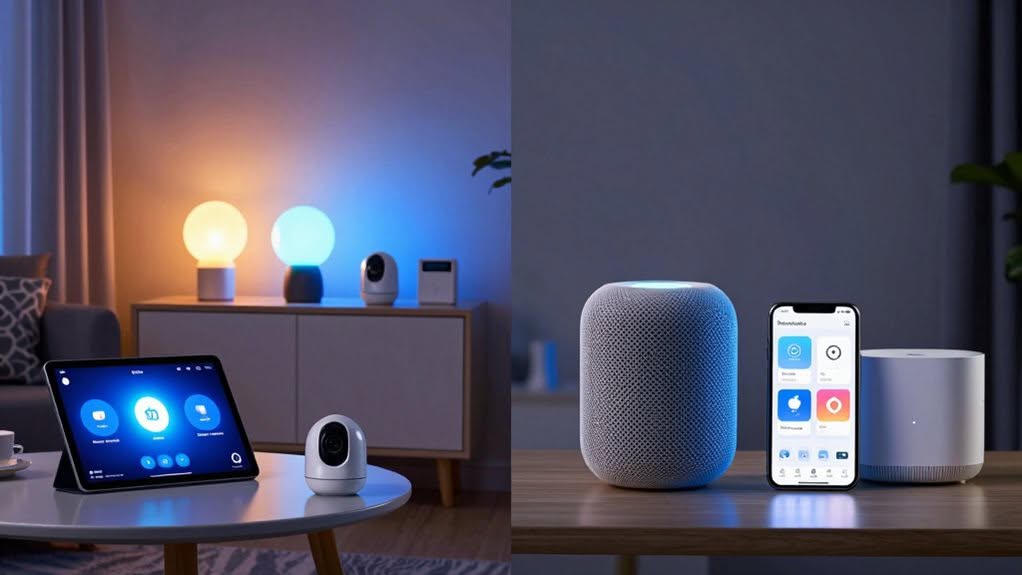
Home Assistant offers extensive compatibility with multiple protocols and devices, but requires technical knowledge and dedicated hardware. Apple Home provides a simpler, plug-and-play experience with HomeKit-certified devices and seamless integration with Apple products. Choose Home Assistant if you value customization, privacy, and powerful automations despite the steeper learning curve. Opt for Apple Home if you prefer ease of use and already own Apple devices. The right platform depends on your technical comfort and smart home priorities.
Device Ecosystem and Compatibility: What Each Platform Supports
When comparing smart home platforms, the breadth of compatible devices often determines their practical value for users.
Home Assistant offers extraordinary versatility, supporting Zigbee, Z-Wave, Wi-Fi, Bluetooth, Matter, Thread, LoRaWAN, RF, and IR protocols. You’ll find compatibility with numerous brands including Sonoff, Aqara, Philips Hue, and IKEA through direct integrations. For advanced security features, Home Assistant can integrate with smart door locks that provide remote locking capabilities and automations based on user presence. Home Assistant is ideal for users who enjoy building computers and tinkering with technology, offering greater customization than most commercial platforms.
Apple Home takes a more controlled approach, focusing primarily on HomeKit-certified devices. While this limits selection, it guarantees reliability with products like smart locks, lights, and thermostats that meet Apple’s standards. Many users appreciate the enhanced security benefits of fingerprint locks that eliminate the need for physical keys while providing convenient biometric access.
Protocol support also differs greatly. Home Assistant lets you add USB dongles to expand connectivity options, while Apple Home relies mainly on Wi-Fi, Thread, Bluetooth, and Matter.
The growing Matter standard creates some overlap, allowing certain devices to work with both platforms.
Setup Process and User Experience Comparison
When setting up your smart home system, you’ll find Apple Home requires minimal hardware beyond your existing Apple devices, while Home Assistant demands a dedicated server like a Raspberry Pi.
Apple Home’s intuitive interface offers a gentler learning curve compared to Home Assistant’s highly customizable but more complex dashboard system.
The user experience differs greatly between the two platforms, with Apple prioritizing simplicity and immediate usability, whereas Home Assistant rewards technical users with extensive control options and detailed device management capabilities. Home Assistant users can access their dashboard through web pages or dedicated apps, with the ability to use Android and Fire tablets as permanent display screens. Home Assistant’s dashboard functionality allows for the creation of interactive floor plans that provide intuitive spatial control of your smart home devices.
Hardware Requirements
Setting up a smart home system requires understanding the distinct hardware approaches of both platforms.
Home Assistant demands specific hardware configurations, with options ranging from Raspberry Pi to x86-64 systems. You’ll need at least 2GB RAM, 32GB storage, and UEFI boot mode with Secure Boot disabled. An Ethernet connection during setup and SSD storage are strongly recommended for reliability. The installation is typically performed using Raspberry Pi Imager for Raspberry Pi devices or similar tools for other hardware options. Home Assistant also requires a dedicated internal medium like S-ATA HDD or M.2 SSD, as external storage options aren’t suitable for booting the system.
In contrast, Apple Home requires no dedicated hardware beyond your existing Apple devices. Your iPhone, iPad, Apple TV, or HomePod serves as the central hub. The system works with HomeKit-compatible accessories that connect via Wi-Fi, Bluetooth, or Thread.
Home Assistant offers flexibility but demands moderate technical skills, while Apple Home provides simplicity at the cost of being locked into the Apple ecosystem and compatible devices.
Initial Learning Curve
The contrast between Home Assistant and Apple Home becomes starkly apparent during the initial setup process. Home Assistant requires dedicated hardware, technical knowledge, and potentially hours of configuration time. Meanwhile, Apple Home leverages your existing Apple devices for a plug-and-play experience.
The differences are most evident in:
- Technical requirements: Home Assistant demands YAML editing and networking knowledge; Apple Home requires none.
- Setup time: Home Assistant takes 20+ minutes initially but hours for full configuration; Apple Home setup is completed in minutes.
- Hardware needs: Home Assistant requires a dedicated server; Apple Home uses your existing HomePod or Apple TV.
- Integration process: Home Assistant offers 1500+ integrations but with manual configuration; Apple Home has fewer but seamless integrations.
For non-technical users, Apple Home’s simplified approach eliminates the learning curve that Home Assistant’s powerful customization demands. The Home Assistant setup process involves a more hands-on approach where users must access it via browser and spend time with initial device detection, which automatically finds compatible devices on your network. Home Assistant’s Green version provides a more accessible entry point for users seeking to access its extensive capabilities without diving into complex configuration files.
User Interface Comparison
Two fundamental differences define the user interfaces of Home Assistant and Apple Home, creating distinct user experiences from the moment you begin setup.
Apple Home adopts simplicity with its clean, intuitive interface that works seamlessly across iOS devices. You’ll find device controls organized in cards and rooms, with guided setup processes that typically involve just scanning QR codes or automatic device discovery. This design approach makes it particularly suitable for non-tech-savvy users, including children who can easily navigate its familiar iOS-style interface.
Home Assistant provides considerably more customization, allowing you to create personalized dashboards with custom layouts, tiles, and specialized views. However, this comes with added complexity, including potential YAML configuration and more intricate device integration processes. Home Assistant requires a technical mindset for proper setup and maintenance, making it better aligned with enthusiasts who enjoy scripting and detailed configurations.
Remote access also differs greatly: Apple Home requires a HomePod, Apple TV, or iPad as a home hub, while Home Assistant needs external connection services like Nabu Casa or a VPN setup.
Privacy Features and Local Control Capabilities
When comparing privacy features between smart home platforms, Home Assistant stands out with its fully local architecture that processes all data on your own hardware without cloud dependencies.
This local processing means your system continues working even during internet outages, maintaining complete functionality while keeping your data private.
Apple HomeKit, while privacy-focused with end-to-end encryption, still relies on cloud infrastructure for remote access and certain features.
Your Siri commands travel through Apple’s servers, unlike Home Assistant’s locally processed voice commands.
Key privacy advantages of Home Assistant include:
- Complete data ownership with zero transmission to external servers
- Full offline functionality without internet connectivity
- No cloud subscriptions or vendor data collection
- Open-source code for transparent security auditing
Home Assistant eliminates the privacy concerns inherent to cloud-dependent platforms, giving you total control over your smart home data.
Automation Capabilities and Customization Options
When comparing automation capabilities, Home Assistant clearly outpaces Apple Home with support for over 1,500 devices and highly complex, multi-step automations that can respond to variables like car location or energy usage.
You’ll find Home Assistant offers extensive scripting options through its YAML configuration system, allowing for detailed control over triggers, conditions, and actions that simply aren’t possible within HomeKit’s more simplified approach.
While Apple Home prioritizes ease of use with predefined triggers and a consistent interface, it lacks Home Assistant’s flexibility for customizing dashboards, creating user-specific controls, and developing automations that function reliably without internet connectivity.
Automation Depth Comparison
The fundamental difference between Home Assistant and Apple Home lies in their approach to automation depth and customization flexibility. Home Assistant offers considerably more advanced automation capabilities that function entirely locally, guaranteeing your smart home continues working even without internet access.
When comparing automation depth, Home Assistant clearly outperforms with:
- Support for complex scripting through YAML and visual editors
- Ability to integrate data from diverse sources like car APIs and solar panels
- Cross-platform functionality across multiple ecosystems (Apple, Google, Alexa)
- Community-created plugins and add-ons that extend functionality beyond native options
Apple Home prioritizes simplicity with streamlined, easy-to-setup automations within predefined templates.
While it offers excellent Siri integration, it lacks the scripting depth and cross-ecosystem flexibility that advanced users might require.
Custom Trigger Options
How deeply you can customize your smart home’s automated behaviors often depends on the trigger options available in your platform of choice.
Home Assistant dramatically outperforms Apple Home in this category with its extensive trigger selection.
While Apple Home offers basic triggers like time, location, and device state changes, Home Assistant provides these plus advanced options like MQTT, webhooks, NFC tags, and custom voice commands with variable wildcards.
Home Assistant allows you to create automations with multiple triggers combined in a single setup, handling complex scenarios efficiently. You can extract event data variables from triggers and use them in conditional logic to determine specific actions.
Though not yet implemented, the community is actively discussing label-based triggering, which would allow automations to react automatically to any entity with a specific tag.
Scripting and Extensions
Trigger capabilities represent just the beginning of what differentiates these platforms when examining their automation systems.
The scripting flexibility of each ecosystem reveals their true potential for creating complex smart home experiences.
Home Assistant provides advanced scripting options that let you create highly sophisticated automations:
- Uses YAML configuration files and supports Python scripting
- Allows creation of custom components to interact with virtually any IoT protocol
- Runs complex logic locally without cloud dependency for better speed and privacy
- Enables community-developed extensions through its open-source foundation
In contrast, Apple Home limits you to predefined automation rules within its graphical interface and the Shortcuts app.
While Apple’s approach prioritizes simplicity and ease of use, it sacrifices the granular control and customization that power users often require for truly automated homes.
Voice Assistant Integration and Control Methods
Both smart home platforms offer distinct approaches to voice control, with considerable differences in flexibility and ecosystem requirements.
Home Assistant integrates with multiple voice assistants including Siri, Alexa, and Google Assistant, while Apple HomeKit relies exclusively on Siri. You’ll need Apple devices like HomePod Mini for HomeKit voice control, whereas Home Assistant doesn’t require specific hardware.
Privacy-conscious users will appreciate that both platforms prioritize local processing of voice commands. Home Assistant’s own “Assist” feature provides fully local control without cloud dependency.
For control methods, Apple Home offers seamless integration through native iOS apps and Siri, but limits you to the Apple ecosystem.
Home Assistant provides broader options through web dashboards, mobile apps, and support for multiple protocols like Zigbee, Z-Wave, and Thread.
Performance, Reliability, and Response Time Analysis
When comparing smart home platforms, performance metrics reveal notable differences between Home Assistant and Apple HomeKit’s operational foundations. Home Assistant runs entirely on local hardware, allowing your smart home to function offline with minimal latency. HomeKit processes commands locally on your Apple devices without requiring separate hardware.
For reliability, both platforms offer advantages in different scenarios:
- Home Assistant continues working during internet outages, maintaining all automations.
- HomeKit leverages Apple’s mature, well-tested ecosystem for consistent operation.
- Local processing in both systems reduces delays compared to cloud-dependent alternatives.
- Home Assistant’s performance depends on your hardware choice, while HomeKit remains consistent across Apple devices.
Response times for both platforms are typically fast due to their local processing capabilities, though Home Assistant can be further optimized with proper hardware selection.
Frequently Asked Questions
Can Home Assistant Integrate With Matter-Compatible Devices?
Yes, you can integrate Matter-compatible devices with Home Assistant. It acts as a Matter controller, allowing you to control devices already paired with Apple Home or Google Home through the Matter integration.
How Do Software Updates Differ Between the Two Platforms?
Home Assistant offers manual updates with granular control and rollback options, requiring more technical knowledge. Apple Home updates automatically with iOS/macOS, providing a simpler experience but less control over when and how updates occur.
What Happens to Automations During Internet Outages?
During internet outages, your Home Assistant automations mostly keep working locally while Apple Home continues functioning if you have local hubs. Both lose remote access and cloud-dependent features until your connection returns.
Can I Migrate My Setup Between Homekit and Home Assistant?
Yes, you can migrate from HomeKit to Home Assistant by removing devices from Apple Home first, then pairing them with Home Assistant. You’ll need to recreate automations and can still expose devices back to HomeKit if needed.
What Are the Energy Consumption Differences Between These Systems?
Home Assistant requires a dedicated server running 24/7, consuming more power than HomeKit, which uses your existing Apple devices. However, HA’s advanced energy monitoring capabilities may help you save more electricity overall.
Final Thoughts
You’ll need to evaluate your specific smart home priorities when choosing between Home Assistant and Apple Home. Home Assistant offers unmatched customization and compatibility but requires more technical skill. Apple Home delivers seamless integration with Apple devices, improved privacy, and simplicity. Your decision should depend on which factors matter most: extensive device support and powerful automation options, or user-friendly design with tight ecosystem integration.


