Your smart home offers convenience, but it’s also a potential security risk if not properly protected. The average household now contains over 20 connected devices, each representing a possible entry point for hackers. When these devices lack proper security measures, they can expose your personal data or even provide access to your entire home network. The consequences range from privacy breaches to more serious security threats, making it crucial to implement these ten critical safeguards for your connected home.
Assess Your Home’s Vulnerability Before Adding Devices
Before you bring smart devices into your home, it’s vital to evaluate your comfort level with potential privacy risks they may introduce.
Consider features like always-listening voice assistants and how manufacturers store your data before proceeding with installation.
Conduct thorough security assessments of potential devices and their manufacturers.
Research recent security breaches or vulnerabilities that could affect your home network’s integrity.
Evaluate whether each smart device is truly necessary for your lifestyle.
When possible, prioritize products offering local control options rather than cloud-dependent models to minimize privacy implications.
Review your home network’s existing security measures.
Monitor connected devices regularly to identify unauthorized access points or vulnerabilities before integrating new technology.
Remember to use strong, unique passwords for each device, potentially employing a password manager to maintain proper security.
Installing a comprehensive home network security system can provide an additional layer of protection for all your connected smart devices.
Create Strong, Unique Passwords for Every Smart Device
Since every smart device in your home represents a potential entry point for hackers, creating strong, unique passwords for each one is essential for maintaining your security.
Password reuse across multiple devices creates a dangerous vulnerability—if one device is compromised, all your connected systems become exposed.
Focus on password complexity by combining uppercase and lowercase letters, numbers, and special characters.
Avoid using obvious personal information like birthdays or pet names that can be easily guessed.
Consider using a password manager to keep track of your different credentials.
These tools securely store and generate complex passwords, eliminating the need to remember them all.
Don’t forget to update your passwords regularly and enable multi-factor authentication whenever available for an additional layer of protection against unauthorized access.
Enable Multi-Factor Authentication Wherever Possible
While strong passwords provide baseline protection, you’ll want to add a second layer of security by enabling multi-factor authentication on all your smart devices.
MFA requires additional verification beyond your password, typically through a code sent to your phone or generated by an authentication app, making unauthorized access nearly impossible even if your password is compromised.
You should check if your smart home devices support this feature, as statistics show accounts with MFA activated are 99.9% less likely to be hacked than those relying on passwords alone.
Beyond Password Protection
Although strong passwords form the foundation of smart home security, they’re simply not enough in today’s sophisticated threat environment.
Multi-factor authentication (MFA) creates a vital second layer of defense that greatly reduces unauthorized access risks.
The MFA benefits are considerable—even if your password is compromised, hackers still need to bypass additional verification steps. Popular devices like Amazon Echo and Google Nest already support various authentication methods, including authentication apps and SMS codes.
To maximize protection, enable MFA on all compatible smart home devices in your network. This creates a robust barrier that’s exponentially more difficult for cybercriminals to penetrate.
Remember to regularly review your MFA settings whenever you add new devices or change user accounts. This simple maintenance step guarantees your layered security approach remains effective against evolving threats.
Layered Access Control
Despite the digital sophistication of modern smart homes, a single password remains an insufficient defense against determined hackers. Implementing multi-factor authentication (MFA) creates a crucial secondary barrier that aligns with safe user behavior patterns.
Research demonstrates that accounts protected by MFA are 99.9% less likely to be compromised than those without it. This dramatic security improvement is available on most major smart home platforms, including Amazon Echo and Google Nest.
When setting up MFA, you’ll need to establish proper access permissions and store your backup codes securely. These codes serve as emergency entry points if your primary authentication method becomes unavailable.
Remember to periodically review and update your MFA settings to reflect any changes in your contact information or security practices. This maintenance guarantees your smart home remains protected against unauthorized access.
Prevent Unauthorized Entry
Since hackers continue to develop sophisticated methods for breaching smart homes, enabling multi-factor authentication (MFA) has become non-negotiable for extensive security.
This additional verification layer greatly reduces smart device vulnerabilities by requiring a second form of identification beyond your password.
Popular smart home ecosystems like Amazon Echo and Google Nest support MFA, making unauthorized access prevention straightforward to implement.
Regular reviews of your authentication settings help maintain protection against evolving cyber threats.
Follow these steps to strengthen your smart home security:
- Enable MFA on all compatible smart devices and their associated accounts
- Choose stronger verification methods like authenticator apps instead of SMS when possible
- Update your authentication methods quarterly to maintain security efficacy
Don’t rely on passwords alone—they’re simply not enough to protect today’s connected homes.
Segment Your Network to Isolate Smart Devices
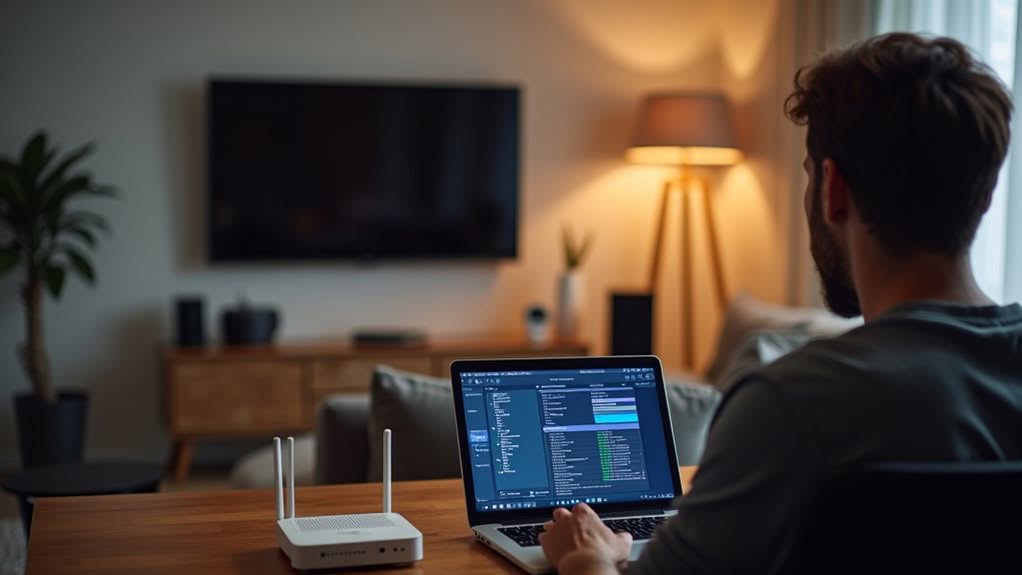
When your home becomes increasingly connected with smart devices, creating separate network segments becomes essential for maintaining security. Proper network segmentation guarantees your personal data remains protected from potential breaches through vulnerable smart devices.
Setting up a dedicated guest network for your IoT devices prevents them from accessing your primary network where you store sensitive information. The FBI specifically recommends device isolation as an effective strategy to stop malware from spreading between networks.
For improved security, consider implementing VLANs, which restrict communication between your smart devices and personal computers. This additional layer of protection limits what your connected devices can access.
Regularly review the list of devices on your segmented network and remove any unauthorized connections. This simple maintenance step considerably enhances your overall home network security.
Regularly Update Firmware and Software
You’ll need to update default credentials on your smart devices immediately after installation, as factory settings are often known to hackers and published online.
Enabling automatic updates guarantees your devices receive critical security patches without requiring your constant attention, protecting against known vulnerabilities that manufacturers have already addressed.
Many smart home devices will notify you when updates are available, but you should still regularly check manufacturer websites for security patches that may not be pushed automatically to your devices.
Update Default Credentials
Two vital security steps for any smart home device involve changing default login credentials and keeping firmware updated. Many manufacturers ship devices with identical usernames and passwords across thousands of units, creating noteworthy default username vulnerabilities for your home network.
When setting up secure device management practices, prioritize these actions:
- Change default passwords immediately after installation, using strong combinations of letters, numbers, and special characters.
- Replace generic usernames whenever the device allows this option.
- Document your updated credentials in a secure password manager rather than relying on memory.
Default credentials are often publicly available online, making unchanged devices easy targets. By customizing your login information, you create a pivotal first line of defense against unauthorized access to your smart home ecosystem.
Automatic Updates Matter
Beyond changing default credentials, keeping your devices’ firmware and software updated represents a vital security measure for every smart home. Outdated software versions contain vulnerabilities that hackers actively seek to exploit, putting your personal data at risk.
Enable automatic updates whenever possible to guarantee security patches are applied promptly. This simple step greatly reduces your vulnerability to cyberattacks by closing security gaps before criminals can target them.
Remember to register your smart devices with manufacturers to receive consistent update notifications. Research shows a concerning 73% increase in malware targeting IoT devices in recent years, making update frequency more essential than ever.
For devices without automatic update capabilities, set regular reminders to check for new firmware manually. Your diligence in maintaining current software forms a vital defense layer in your smart home security strategy.
Disable Unnecessary Features and Services
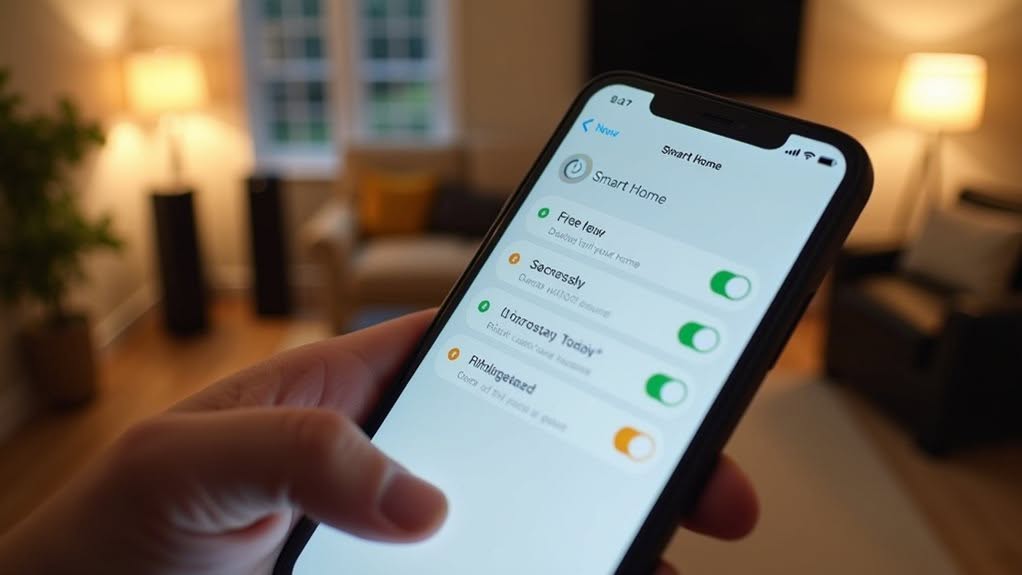
While smart home devices offer convenience through numerous features, these same capabilities can create security vulnerabilities when left active unnecessarily.
Effective feature management requires regularly reviewing your device settings, as many smart products enable non-essential functions by default.
Consider implementing these service limitations to improve your security:
- Disable voice activation features on smart speakers when not in use to prevent potential eavesdropping.
- Turn off remote access capabilities whenever you don’t need to control devices from outside your home.
- Review and disable any unused features that require internet connectivity, as these create additional entry points for hackers.
Research Manufacturer Security Track Records
When selecting smart home devices, you’ll need to check the company’s history of handling security incidents and breaches to gauge their commitment to user protection.
Look for manufacturers that have obtained certifications from reputable organizations like the IoT Security Foundation, which validates their compliance with industry security standards.
Customer reviews and tech blogs can provide additional insights into how quickly companies respond to vulnerabilities and how transparent they’ve been about past security issues.
Check Company History
Before investing in smart home devices, you should thoroughly research the security track record of any manufacturer you’re considering. A company’s history often reveals valuable insights about their commitment to security.
Look into the manufacturer’s reputation by checking if they’ve received certifications from independent security organizations like the IoT Security Foundation. Companies with strong security partnerships typically prioritize protection of your data.
To properly evaluate a smart home manufacturer:
- Review their history of security incidents or breaches, which can indicate how they handle vulnerabilities.
- Read customer feedback on tech blogs and consumer review sites to assess real-world performance.
- Check for any lawsuits related to security or privacy issues through resources like the U.S. Consumer Product Safety Commission.
Always review the company’s privacy policy to understand how your data will be handled.
Analyze Security Certifications
Anyone investing in smart home technology should examine security certifications carefully before making purchase decisions.
Look for products validated by independent security organizations like the IoT Security Foundation, which thoroughly assess devices for potential vulnerabilities.
Prioritize smart home products that have earned respected certifications such as ANSI or BHMA.
These ratings demonstrate that devices have undergone rigorous testing for safety standards and durability.
When evaluating options, check whether manufacturers transparently display their security credentials on packaging or websites.
This transparency often indicates their commitment to protecting your data.
Don’t overlook the importance of a clear privacy policy that details how your personal information will be handled.
Companies that provide extensive documentation about their data practices typically maintain higher security standards throughout their product development.
Review and Adjust Privacy Settings
Although your smart home devices offer convenience, they can collect considerable amounts of personal data without your knowledge.
Take time to review and adjust privacy settings on all your devices regularly, focusing on limiting data retention and understanding privacy implications of each feature.
Manufacturers often set default configurations that benefit their data collection needs rather than your privacy.
Customize these settings to align with your comfort level, guaranteeing only necessary information is shared.
For ideal privacy protection:
- Disable unused features like voice ordering on smart assistants to reduce potential vulnerabilities
- Review how your data is stored and shared with third parties
- Stay informed about privacy policy updates from manufacturers to maintain control over your information
Remember to periodically check these settings, as software updates may reset your preferences.
Consider Local Control Options Over Cloud-Dependent Devices
While cloud-connected smart devices offer convenience and remote access, they introduce considerable privacy and security risks.
Local control options using devices with local APIs provide notable benefits to your smart home security. These devices function without internet connectivity, boosting device performance during network outages and reducing your exposure to potential data breaches.
Consider implementing Z-Wave Plus and Zigbee 3.0 devices for improved security. Z-Wave works well for critical applications, while Zigbee can handle less crucial functions like lighting control.
To maximize protection, create unique, random passwords for each locally controlled device and manage them with a password manager.
Don’t forget to install firmware updates regularly, as they patch vulnerabilities in your locally controlled devices without relying on external servers, keeping your smart home secure against emerging threats.
Implement Regular Security Audits of Your Smart Home

Regular security audits form the backbone of a robust smart home protection strategy. By creating a thorough device inventory during each audit, you’ll quickly identify any unauthorized devices that might compromise your network. Experts recommend conducting these reviews at least every three months to stay ahead of evolving threats.
During your audit, check these critical security benchmarks:
- Review all connected devices and remove any that are outdated, unused, or unrecognized.
- Verify that firmware and software updates are current on all smart devices.
- Examine privacy settings to confirm they align with your data sharing preferences.
Use network monitoring tools to track device behavior between scheduled audits. This proactive approach helps you detect suspicious activity before it develops into a serious security breach.
Frequently Asked Questions
How Do I Detect if My Smart Devices Are Hacked?
You’ll notice unusual device signs like strange noises, unexpected reboots, or sluggish performance. Check for unfamiliar connections, unexplained data usage, and review security alerts from your smart home apps or management systems regularly.
Should I Use a VPN for My Smart Home Network?
Yes, you should use a VPN for improved network security. It’ll encrypt your smart home traffic, protect against unauthorized access, and mask your IP address. VPN benefits include privacy protection and reduced vulnerability to hackers.
Can Smart Speakers Record Conversations Without My Knowledge?
Yes, smart speakers can technically record without your awareness. They’re designed to activate with wake words, but audio recording implications for smart speaker privacy include occasional false activations and potential firmware vulnerabilities. Stay vigilant with privacy settings.
What Privacy Risks Exist With Second-Hand Smart Devices?
Second-hand devices may still contain previous owners’ data, accounts, or access permissions. You’re exposing yourself to privacy risks if proper factory resets weren’t performed. Always verify device history and follow second-hand safety protocols before use.
How Do Smart Device Vulnerabilities Affect Home Insurance Policies?
Insurers may deny claims if your smart devices cause damage due to unpatched vulnerabilities. You’ll need to disclose smart device insurance details and some companies require vulnerability assessments before covering smart home-related incidents.
Final Thoughts
You’ve learned valuable strategies to protect your smart home ecosystem. By implementing these security measures, you’re taking proactive steps to safeguard your privacy and data. Remember, smart home security isn’t a one-time setup but requires ongoing attention. Stay vigilant, keep devices updated, and regularly review your security practices. Your digital home deserves the same protection as your physical one.