
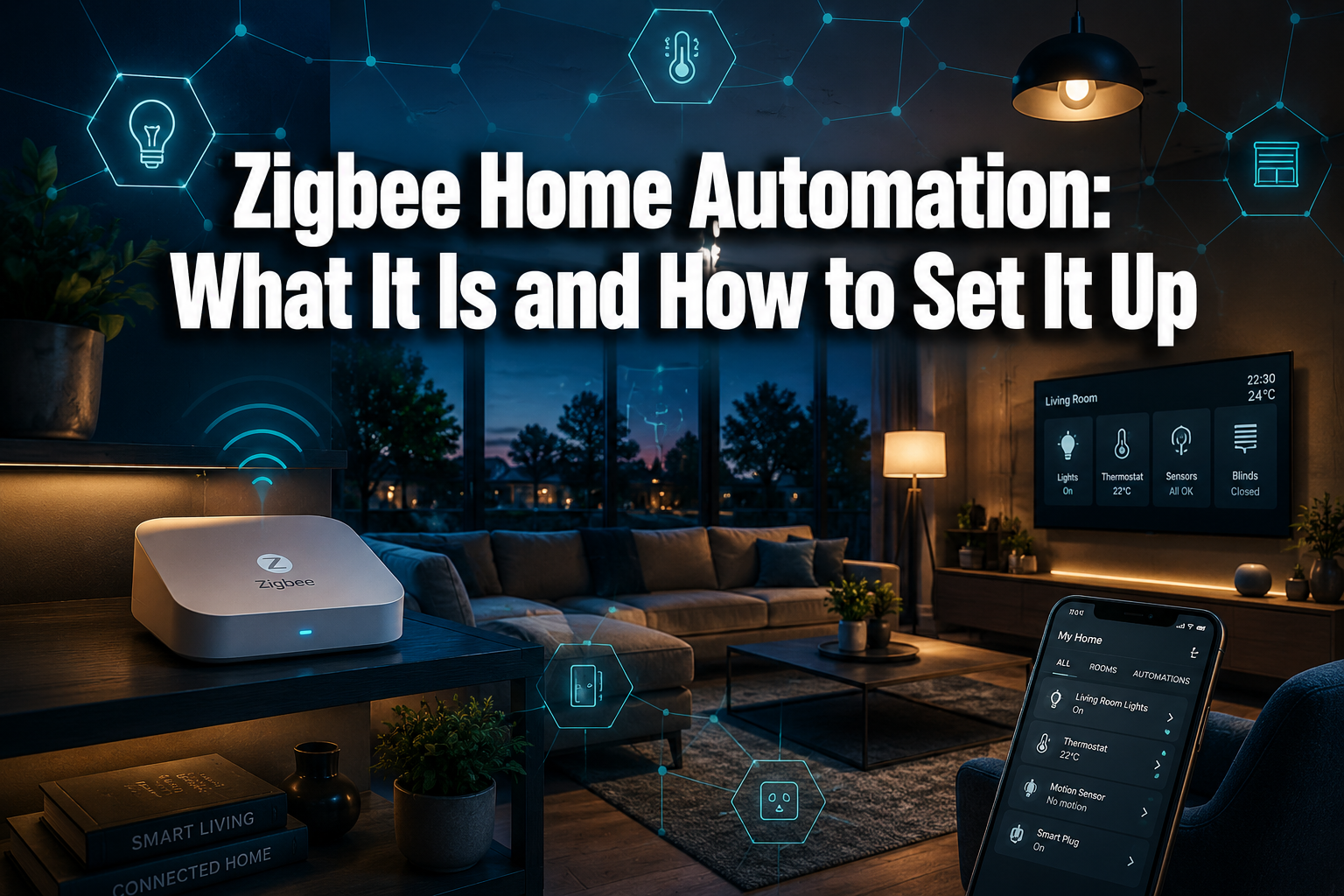
Over 400 million Zigbee-enabled devices have been shipped worldwide — and that number keeps climbing. If you’ve been exploring ways to automate your home without drowning in complicated Wi-Fi setups or draining your router’s bandwidth, Zigbee home automation is worth a serious look. It’s one of the most reliable, energy-efficient wireless protocols available to homeowners today, and in 2026 it’s more capable than ever.
Whether you’re just starting out or ready to expand an existing setup, this guide explains exactly what Zigbee is, why it works so well, and how to get your first devices up and running — in plain English.
Key Takeaways
- Zigbee is a low-power, mesh wireless protocol designed specifically for smart home devices
- It works through a hub or coordinator that connects all your devices and lets them talk to each other
- Zigbee devices can run on battery for years — some sensors last over seven years on a single set
- The latest Zigbee 4.0 standard (released late 2025) brings improved security and greater flexibility
- Zigbee works alongside Matter, not against it — making it future-proof for your connected home
What Is Zigbee and How Does It Work?
Zigbee is a wireless communication standard built for smart home devices. It operates on the 2.4 GHz frequency band and uses a mesh network — meaning devices don’t just connect to a central hub, they also relay signals to each other. The more Zigbee devices you add, the stronger and more reliable your network becomes.
Think of it like a team. Each device passes the signal along, so even a sensor tucked in a far corner of your home can stay connected reliably. This is very different from standard Wi-Fi, where every device needs to reach the router directly.
💡 Key term: A mesh network means each powered Zigbee device acts as a signal repeater, extending coverage throughout your home automatically.
Zigbee was developed by the Zigbee Alliance (now the Connectivity Standards Alliance) and the Zigbee Home Automation 1.2 profile standardised pairing and interoperability across brands. The latest release, Zigbee 4.0, builds on this foundation with stronger encryption, better device flexibility, and improved security — all important for a safer home in 2026.
Why Choose Zigbee for Your Smart Home?
There are several good reasons why Zigbee has become a go-to protocol for smart home technology enthusiasts and everyday homeowners alike.
🔋 Exceptional Battery Life
Zigbee devices are designed to sip power, not gulp it. Many door sensors, motion detectors, and temperature sensors run for more than seven years on a single battery. That’s smart living made simple — set it up and forget about it.
🌐 Self-Healing Mesh Network
If one device loses power or is moved, the network automatically reroutes signals through other devices. Your Zigbee network stays stable without any manual intervention.
🔒 Strong Security
Zigbee uses AES-128 encryption to protect your data. Zigbee 4.0 has strengthened this further, making it one of the more secure options for a connected home.
♻️ Energy-Efficient Living
Because Zigbee devices use so little power, they contribute to genuinely energy-efficient living. Pair them with smart plugs and energy monitoring and you’ll have real control over what’s consuming power in your home.
🔗 Works With Matter
Zigbee isn’t being replaced by the new Matter standard — it’s being integrated through smart hubs. Platforms like Home Assistant, Homey, and Amazon Echo act as bridges, meaning your existing Zigbee devices remain useful and relevant.
What You Need to Get Started
Setting up Zigbee home automation doesn’t require an electrician or an IT degree. Here’s what you’ll need:
| Component | What It Does | Examples |
|---|---|---|
| Zigbee Coordinator/Hub | The brain of your network | Home Assistant with USB dongle, Homey Pro, Amazon Echo |
| Zigbee End Devices | The smart devices you control | Bulbs, sensors, plugs, switches |
| Repeaters (Routers) | Extend your mesh network | Powered smart plugs, bulbs |
| App or Interface | Where you manage everything | Home Assistant, Homey app, Alexa |
⚠️ Does Zigbee require a hub? In most cases, yes. Check out our dedicated guide on whether Zigbee requires a hub to understand your options.
One important note: channel selection matters. Zigbee shares the 2.4 GHz band with Wi-Fi. Choosing Zigbee channel 15, 20, or 25 helps avoid interference with common Wi-Fi channels. Most hubs handle this automatically, but it’s worth checking during setup.
How to Set Up Zigbee Home Automation Step by Step
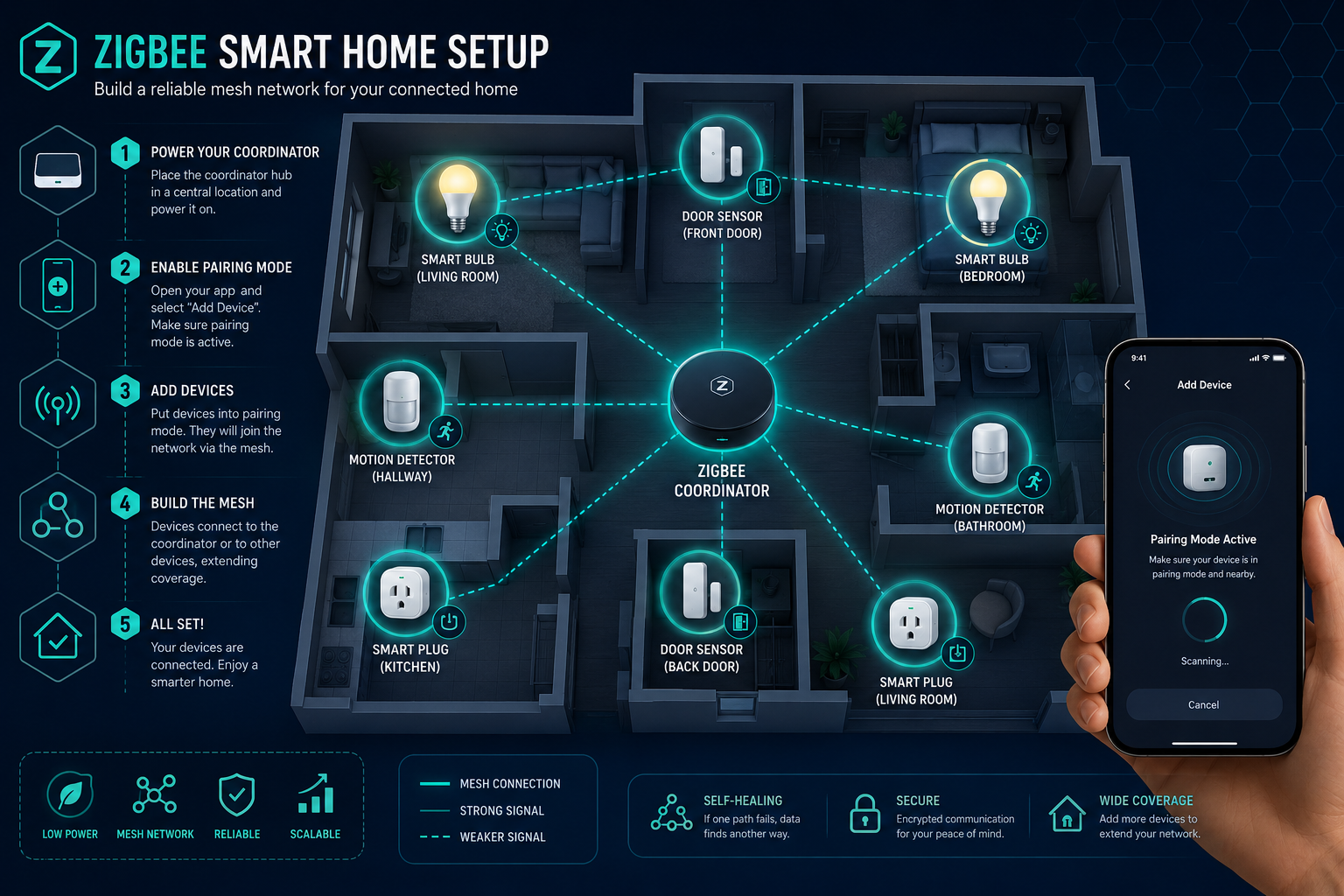
Getting your first Zigbee system running is more straightforward than most people expect. Here’s a simple setup process that works for most beginners.
Step 1: Choose Your Hub
Pick a hub that suits your needs. Home Assistant (using a Zigbee USB coordinator and the ZHA integration or Zigbee2MQTT) gives the most flexibility and is actively updated in 2026 with streamlined device support. Homey Pro is an excellent plug-and-play option. Amazon Echo devices with built-in Zigbee hubs are the easiest entry point.
Explore smart home hubs to compare what’s available and find the right fit for your home.
Step 2: Position Your Coordinator
Place your hub or coordinator centrally in your home. This gives it the best chance of reaching your first few devices before the mesh builds out.
Step 3: Add Powered Devices First
Add mains-powered devices (smart plugs, bulbs) before battery-powered sensors. These act as repeaters, strengthening the mesh so your sensors can connect reliably — even in distant rooms.
Step 4: Pair Your Devices
Most Zigbee devices pair by holding a button until a light flashes. In your hub’s app, select “Add Device” or “Pair,” then follow the on-screen steps. Home Assistant’s ZHA integration has made OTA (over-the-air) firmware updates for Zigbee devices much simpler in 2026, so keeping devices current is easier than ever.
Step 5: Create Automations and Routines
This is where the magic happens. Set up home routines like:
- Lights that dim automatically at sunset 🌅
- Motion sensors that trigger hallway lighting overnight
- Door sensors that alert you when a window is opened
- Smart plugs that cut standby power on a schedule
Tailor everything to your routine and you’ll have a genuinely smarter everyday living experience — hands-free convenience that works around you, not the other way around.
Popular Zigbee Devices to Add to Your Home
Once your hub is running, the ecosystem opens up. Here are some of the most popular categories:
- 💡 Zigbee lighting — Philips Hue, IKEA TRÅDFRI, and Sengled bulbs are widely compatible
- 🚪 Door and window sensors — battery-powered, last years, ideal for home security
- 🌡️ Temperature and humidity sensors — great for home heating control and comfort
- 🔌 Zigbee switches — replace existing wall switches for whole-room control
- 🏃 Motion sensors — trigger lights, alarms, or cameras automatically
- 🔋 Smart plugs — control and monitor energy use, double as mesh repeaters
Zigbee vs Wi-Fi: Which Is Better for Home Automation?
Both have their place, but they serve different needs. Here’s a quick comparison:
| Feature | Zigbee | Wi-Fi |
|---|---|---|
| Battery life | Excellent (years) | Poor (hours/days) |
| Network load | Very low | High |
| Range | Extended via mesh | Limited to router range |
| Setup complexity | Moderate (needs hub) | Simple (no hub needed) |
| Device cost | Generally lower | Can vary |
| Reliability | Very high | Good but congestion-prone |
For a home with many devices — especially sensors and lights — Zigbee wins on reliability and efficiency. Wi-Fi smart devices are fine for a few key items, but they can clog your network as numbers grow.
FAQ
Q: How many Zigbee devices can I have on one network? Most Zigbee networks support up to 65,000 devices in theory, though practical home setups typically run 50–200 devices comfortably on a good coordinator.
Q: Do all Zigbee devices work together? Most do, but not all. Devices certified under the Zigbee Home Automation profile are broadly compatible. Always check compatibility with your chosen hub before buying.
Q: Can Zigbee work without internet? Yes — and that’s one of its biggest advantages. Local automation means your devices keep working even if your broadband goes down, which is great for reliability and privacy.
Q: Is Zigbee being replaced by Matter? No. Zigbee and Matter work together. Many hubs bridge Zigbee devices into Matter ecosystems, so your existing setup stays relevant and future-proof.
Q: What’s the range of a Zigbee device? A single Zigbee device typically reaches 10–20 metres indoors. With a mesh network of repeaters, coverage extends throughout most homes easily.
Q: Is Zigbee safe to use? Yes. Zigbee uses AES-128 encryption, and Zigbee 4.0 has introduced further security improvements. It’s a well-established, trusted standard for home automation.
Conclusion
Zigbee home automation gives you a reliable, energy-efficient, and genuinely scalable foundation for a connected home. It’s not the flashiest technology on the market, but it’s one of the most dependable — and in 2026, with Zigbee 4.0 and seamless integration with platforms like Home Assistant and Homey, it’s better than ever.
Start small: pick a hub, add a few smart bulbs and a motion sensor, and build from there. Once you experience the control at your fingertips — lights that respond to your presence, routines that run themselves, energy use you can actually track — it’s hard to go back.
Your next steps:
- ✅ Choose a Zigbee hub that fits your budget and skill level
- ✅ Buy two or three starter devices (a smart plug, a bulb, and a sensor)
- ✅ Pair them, create one simple automation, and see how it feels
- ✅ Explore smart home automation ideas to keep building your setup
Smart living made simple starts with one small step. Zigbee makes that step easier than ever.


